
Referral Set up
Step-by-Step Setup Guide
Step 1: Enable the Referral Program Navigate to the Referral tab in your left navigation menu. Click on the "Enable Referral Program".
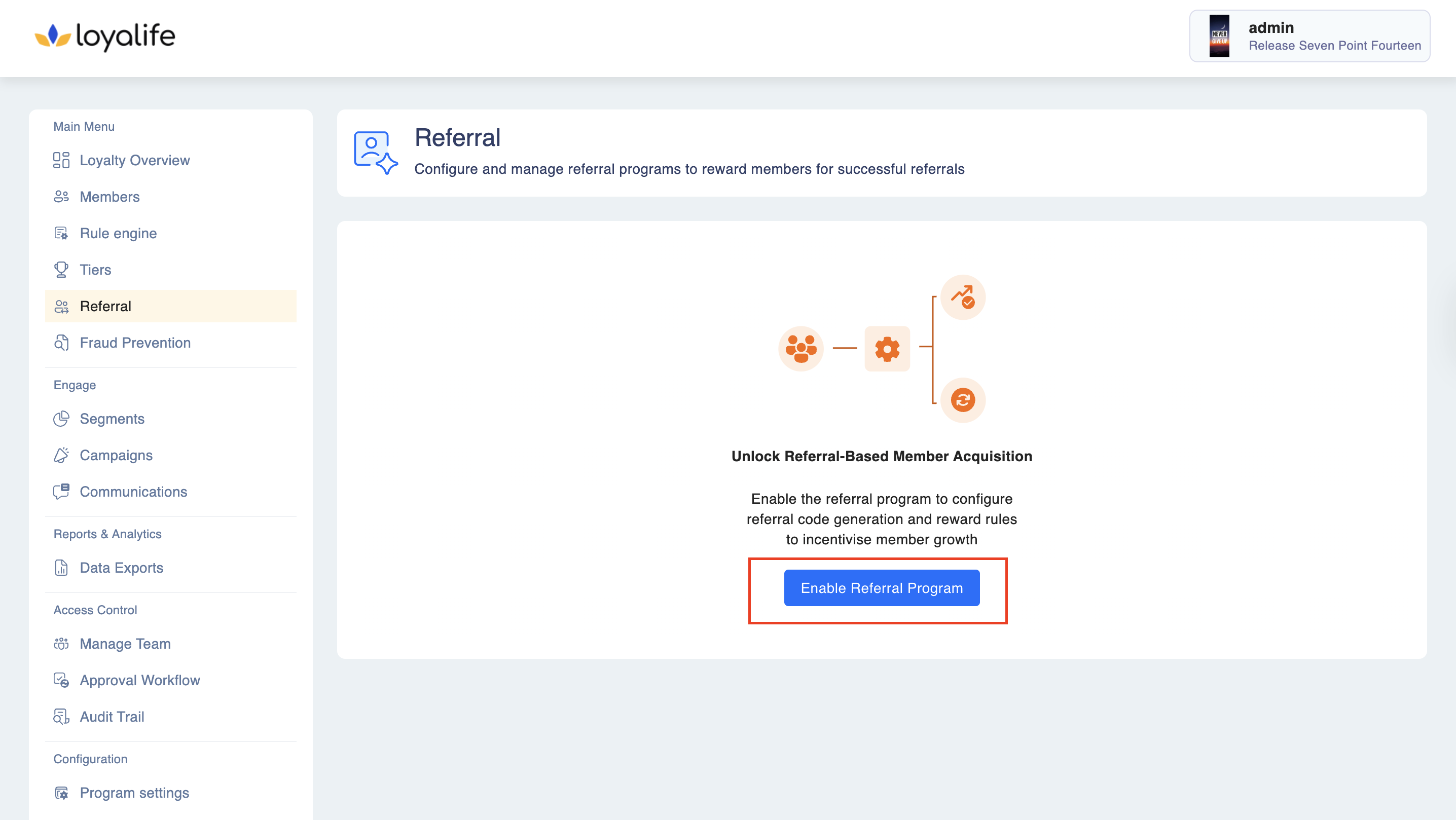
Step 2: Unlocking the feature enables referral settings, triggering attribute creation in the backend Referral Code and Referred By. This will auto-create two new member attributes:
- Referral Code
- Referred By
Note: These fields are auto-generated and cannot be edited manually.
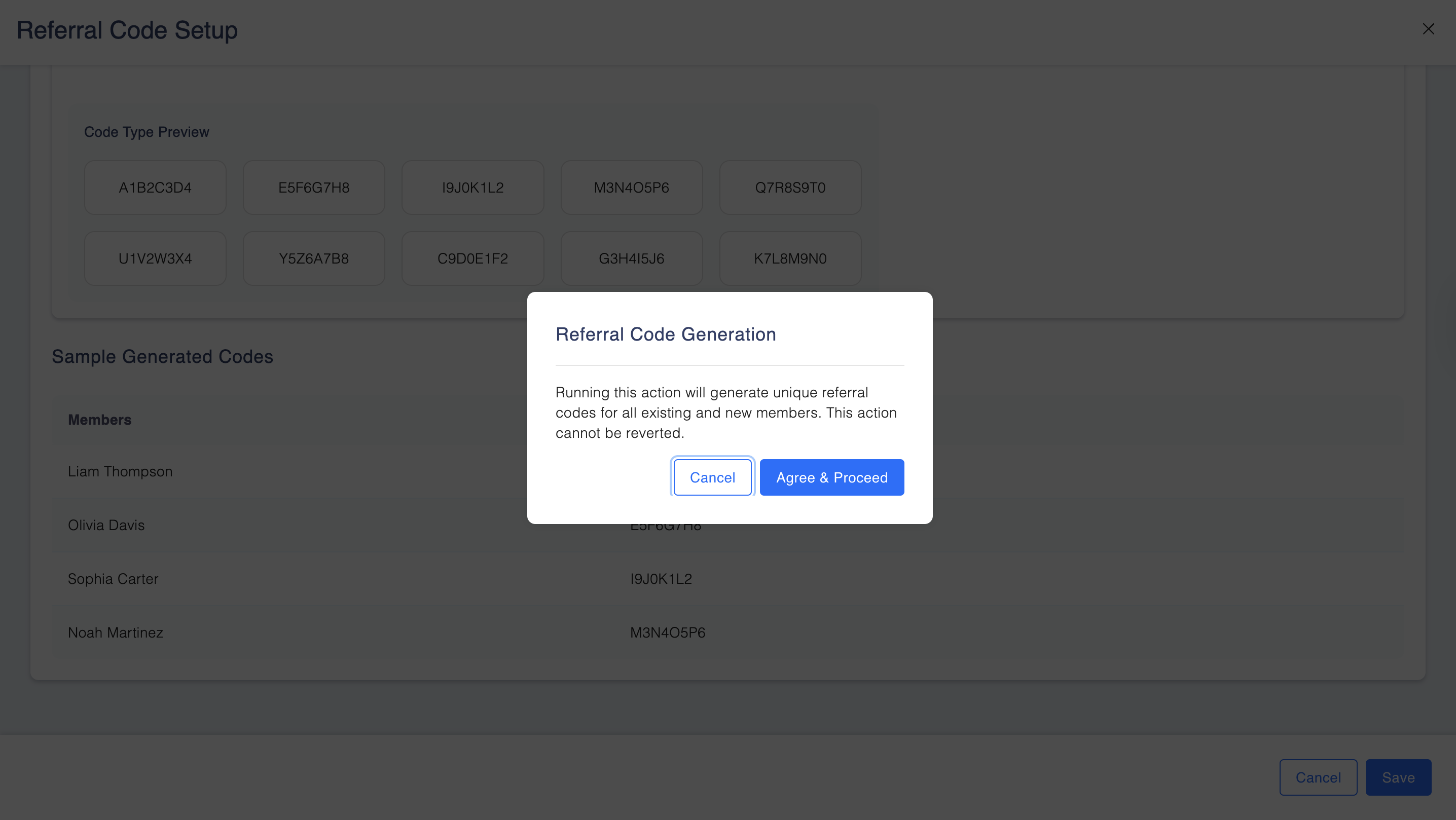
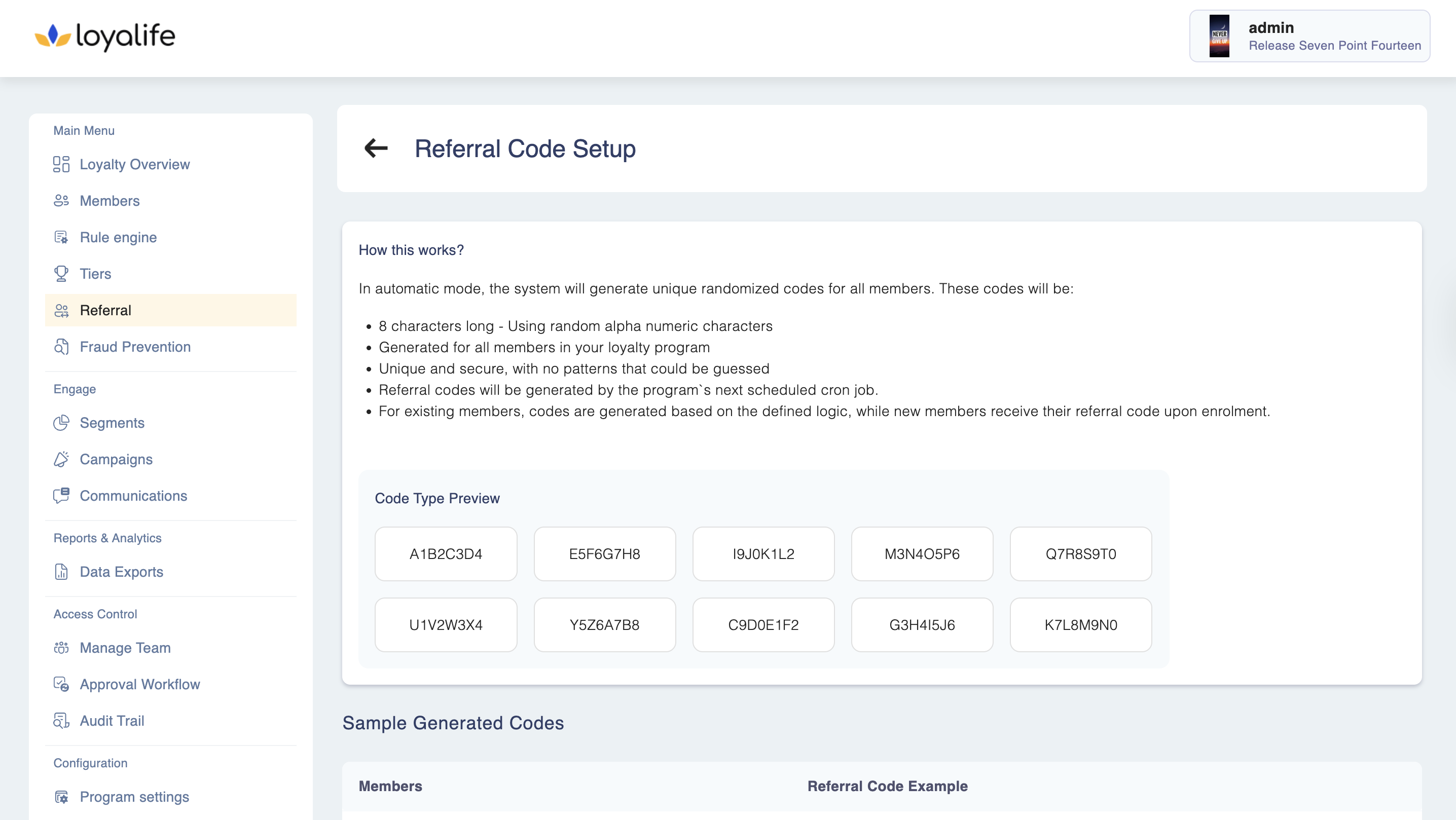
Configure Referral Code Generation
Choose how referral codes are generated:
🔘 **Option A: **Auto-Generate Codes Format: 8-character uppercase alphanumeric (e.g., X3FJ92B7)
Preview: See sample codes before confirming
Logic: Unique per member and immutable
🔘 Option B: External Code Management Skip generation if your system handles code logic
API/File Upload will accept your custom code
Additional Settings:
- One-Time Code Migration: Generate codes in bulk for existing members
- Real-Time Generation: Auto-generate for new enrollments
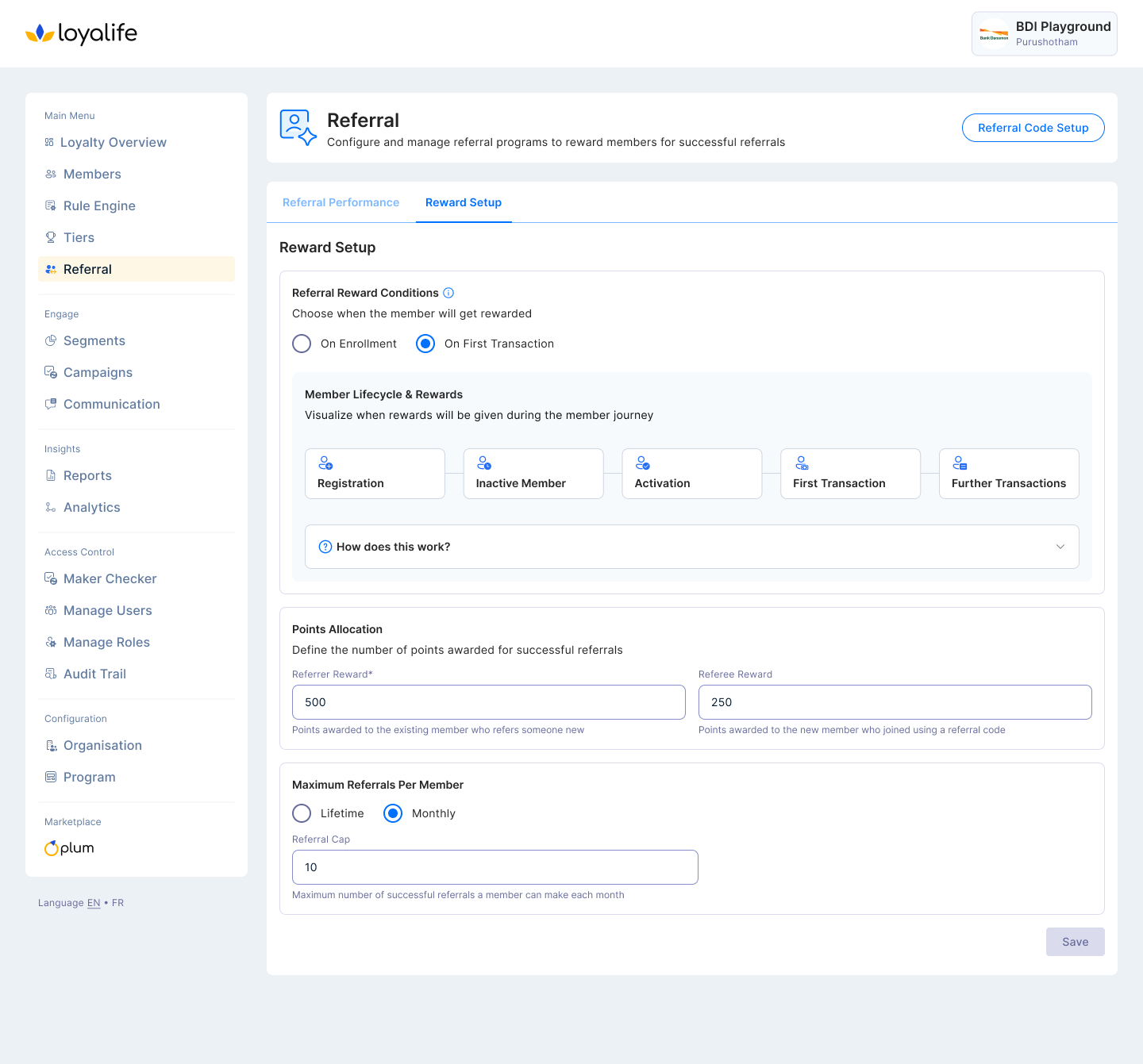
Step 3: Set Referral Conditions Trigger Types:
Option 1: Activation
The referrer earns points based on activation.
Option 2: First Transaction
The referrer earns points when the referee completes their first transaction, with an additional bonus for the referee.
- How does this work?
-
- Referrer shares their unique referral code with friends
-
- Friend registers using the referral code
-
- Once the referred friend completes their first transaction, both the referrer and the friend will receive rewards.
-
- Referrer can earn rewards for up to set limit successful referrals
-
**Step 4: Point Allocation **
Add numeric values to both points earned by the referrer and the referee
| Field | Required | Description |
|---|---|---|
| Referrer Reward | Yes | Numeric Points earned by referrer |
| Referee Reward | Optional | Numeric Welcome bonus for referee |
Step 5: Define Referral Cap
- Admins can define a maximum referral limit per member (default: unlimited).
- This field has 2 option - monthly and lifetime.
- Based on the selected values the help text will be updated.
- This field will accept the numeric value.
Audit Trail for Referral Configuration
To ensure accountability and compliance, the system now captures an Audit Trail for critical changes made to the referral setup.
- Logs are generated whenever a Program Manager updates:
- Referral Conditions: Changes to reward eligibility, trigger types (Activation vs. First Transaction), and point allocation logic.
- Code Generation Toggle: Enabling or disabling the referral code generation settings.
- This enhancement ensures that all modifications are traceable, reducing risks in collaborative environments where multiple managers have access.