
Occasion Reward Campaign
Learn how to create occasion reward campaign in Loyalife
Overview
The Occasion Reward Campaign in the Engage module enables program owners to automatically issue bonus points to members during special lifecycle milestones such as Birthdays or Membership Anniversaries.
This campaign type is designed to boost member engagement, retention, and emotional connection by rewarding members on occasions that matter.
Accessing the Campaign Module
- Log in to your platform and navigate to Engage → Campaigns.
- Click Create Campaign.
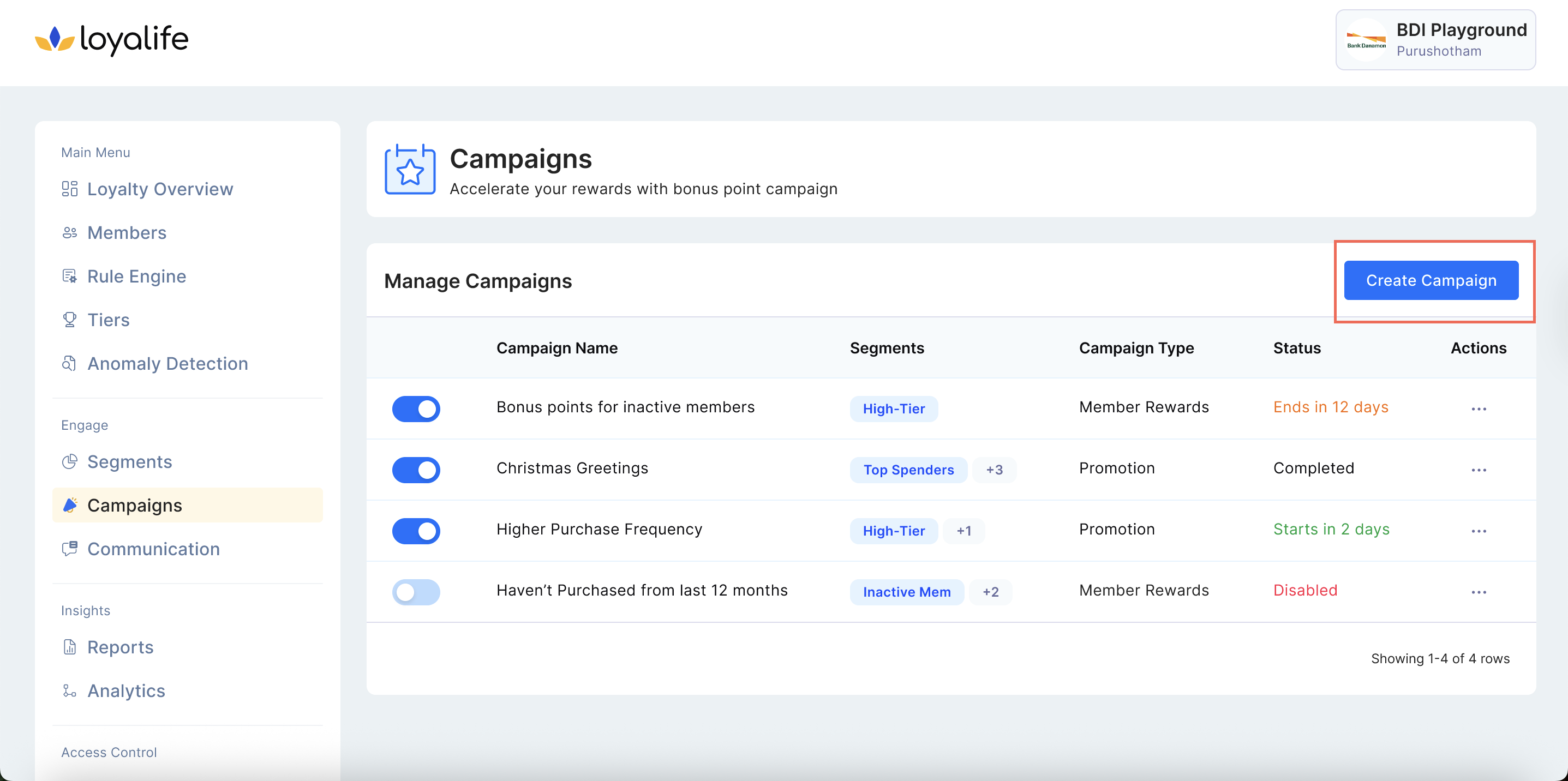
- Under Campaign Type, you’ll now see a new option: Occasion Reward.
- It appears alongside the existing types:
- Send Promotion and Reward to Segment
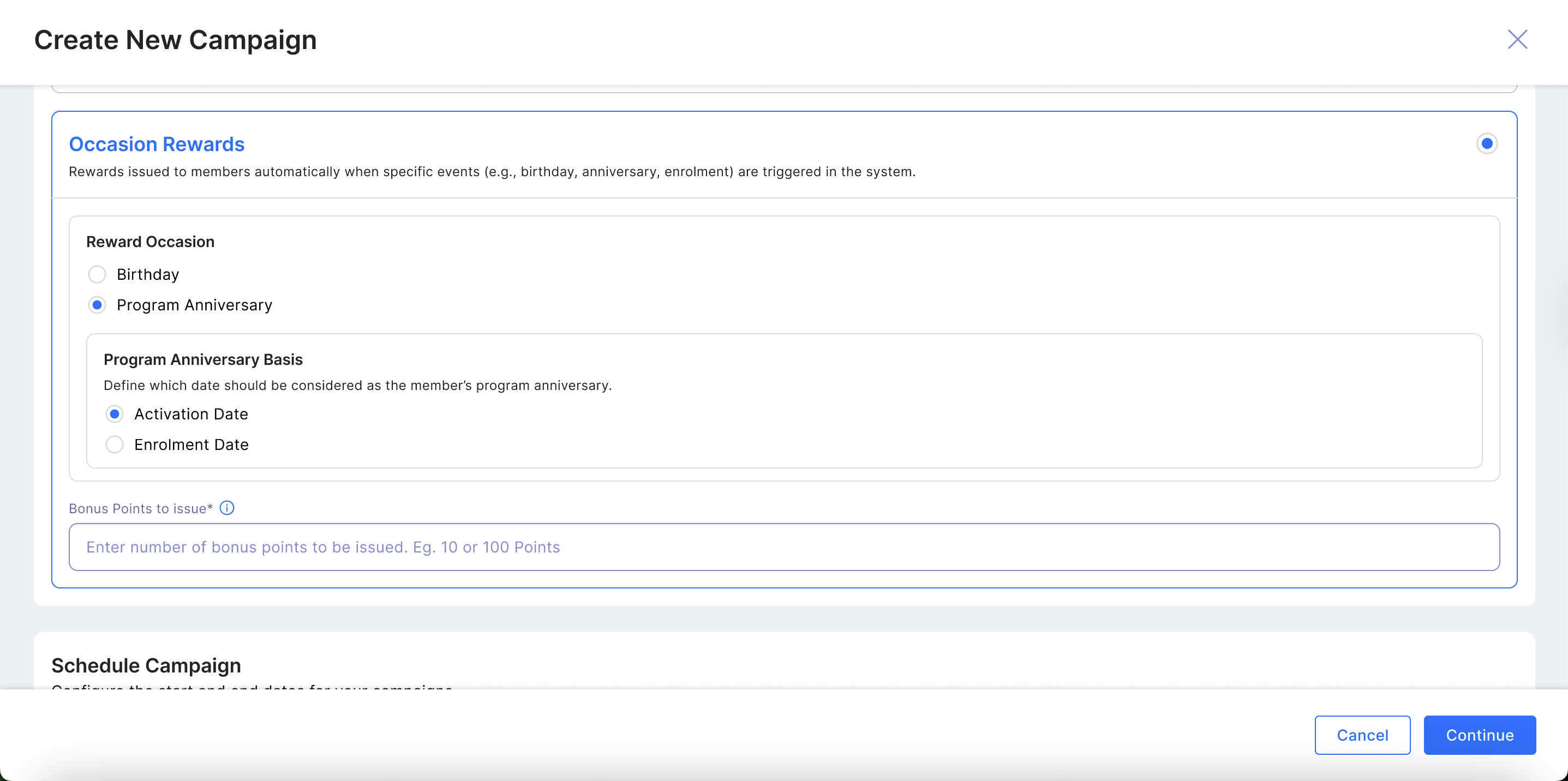
Step 1: Select Occasion Type
- Available Occasion Types:
- Birthday
- Membership Anniversary:
- When you choose Occasion Reward as Annivresary, you’ll see a dropdown to select the milestone occasion.
- Choose to calculate from:
- Enrollment Date, or
- Activation Date
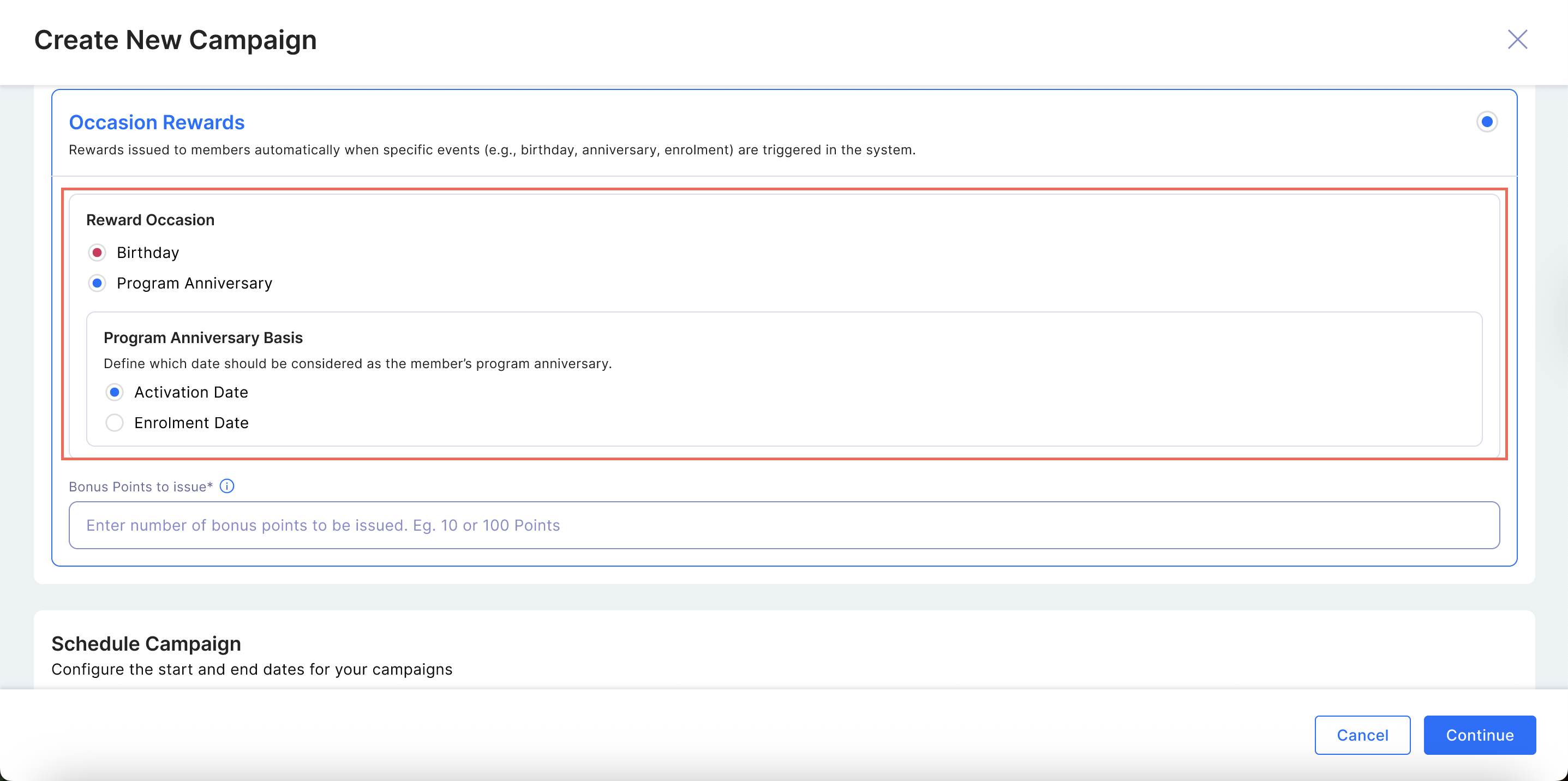
💡 Note: You do not need to select a member segment. The system automatically identifies eligible members based on milestone dates.
Step 2: Configure Campaign Schedule
- Define when your campaign will start and end.
| Field | Description | Requirement |
|---|---|---|
| Start Date | The date the campaign will begin issuing rewards. | Mandatory |
| End Date | The date the campaign will stop running. Leave blank to run indefinitely. | Optional |
Step 3: Set Bonus Points Issuance
- Under Reward Configuration, specify the number of bonus points members should receive for the occasion.
| Field | Description | Requirement |
|---|---|---|
| Bonus Points Issuance | The number of points awarded to each eligible member. | Mandatory |
🚫 Campaign cannot be saved or activated without specifying bonus points.
Step 4: Review and Launch the Campaign
- Once all details are configured:
- Review the campaign setup.
- Click Save & Activate to launch.
- The system will schedule the daily job automatically.
How It Works
- A daily background job runs and checks member milestone dates.
- Members matching the milestone date (Birthday or Anniversary) are automatically rewarded.
- Points are credited directly to the member’s wallet.
- The system applies the configured expiry logic (if defined).
- An audit log records details for tracking and reporting.
Eligibility & Targeting Rules
To ensure fair usage and security, the following system rules apply:
- One Reward Per Year: A member can only receive a specific occasion bonus (e.g., Birthday) once per year. Even if you configure multiple Birthday campaigns, the system ensures the member is rewarded only once per annual cycle.
- Blocked Status: Members with a "Blocked" membership status are automatically excluded and will not be eligible to earn points under any campaign.
Audit Log Details
The audit log captures:
- Member name
- Milestone type (Birthday / Anniversary)
- Points issued
- Issuance status (success/failure)
If any member’s issuance fails (e.g., wallet error):
- The system logs the error.
- The failed record is retried in the next daily run.
Monitoring Campaign Performance
Once the campaign is active, the Campaign View dashboard will display the following metrics:
- Total Members Reached: This represents the count of transactions, not just unique members. (e.g., If a member is targeted in two consecutive years, their count contributes 2 to this total).
- Total Points Issued: The cumulative sum of all points issued across all transactions.
Campaign Configuration Rules
- Editable Fields
- Campaign Name
- Communication Campaign Template
- Non-Editable Fields
- Campaign Type (fixed as Occasion Reward)
- Schedule Campaign (Start/End Dates cannot be changed)
- Reward Occasion Setup