Enable accounts and card linking to Members
Learn about Technical settings on Loyalife
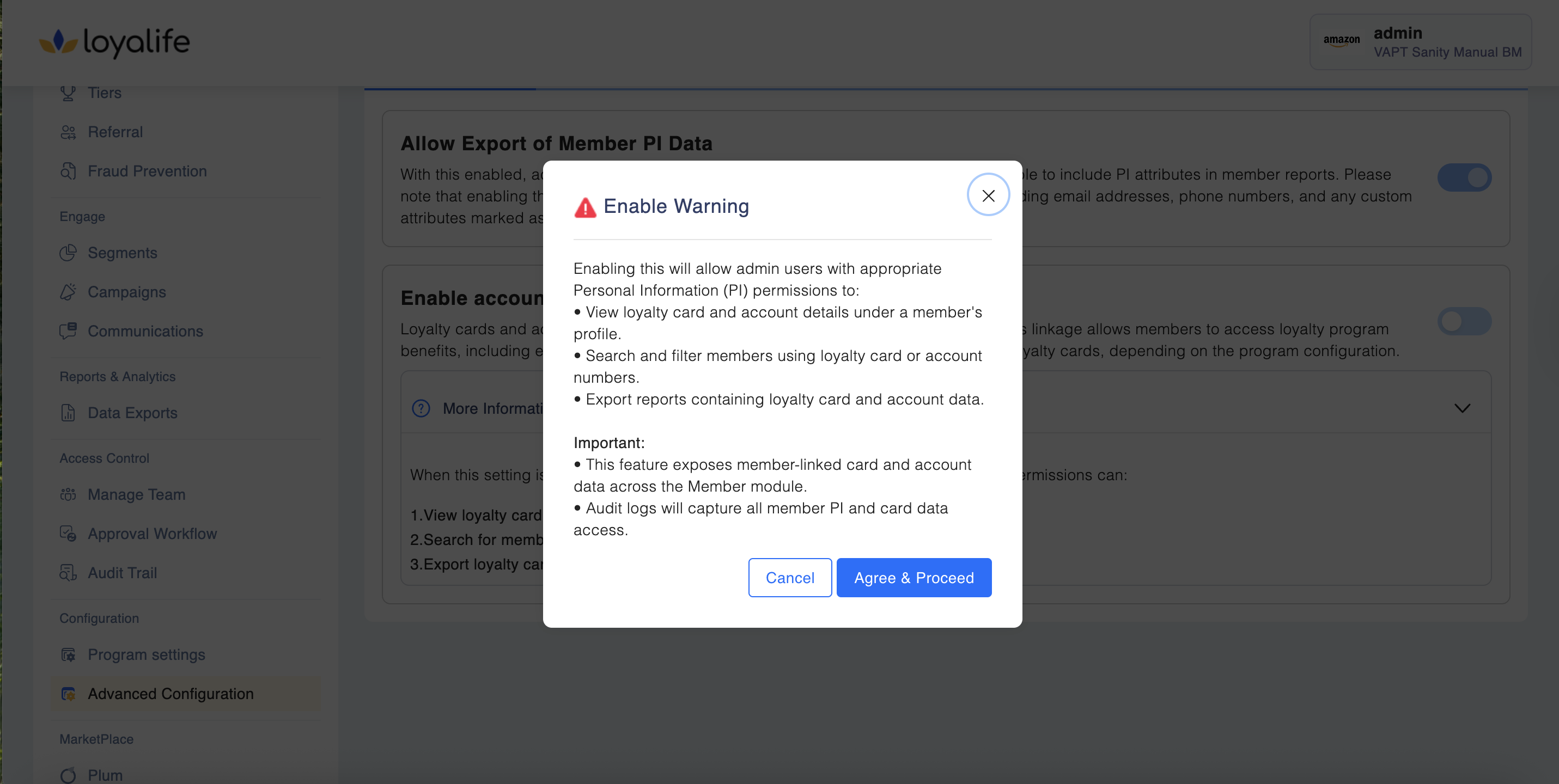
Loyalty cards and accounts are linked to the member's unique relation reference ID. This linkage allows members to access loyalty program benefits, including earning and redeeming points. A single member may hold multiple loyalty cards, depending on the program configuration.
When this setting is enabled, admin users with appropriate Personal Information (PI) permissions can:
- View loyalty card and account details under a member's profile.
- Search for members using loyalty card or account data
- Export loyalty card and account-related reports from the Member module.
Step 1: Navigate to Advanced Configuration >> Technical settings. Click the toggle on to enable or off to disable the settings.
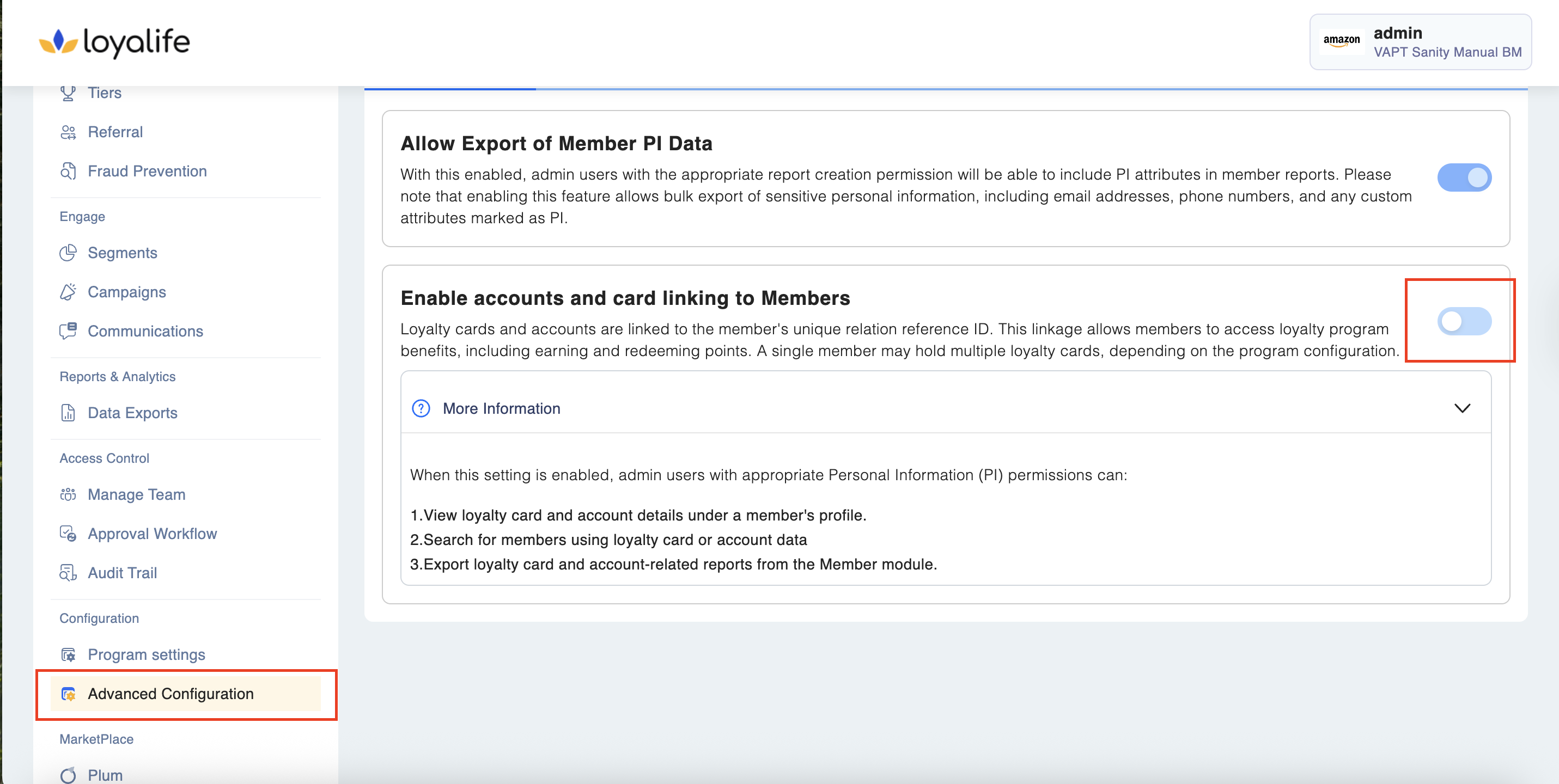
Step 2: If you enable the settings, a pop up will appear. Click "Agree and Proceed" to enable this.