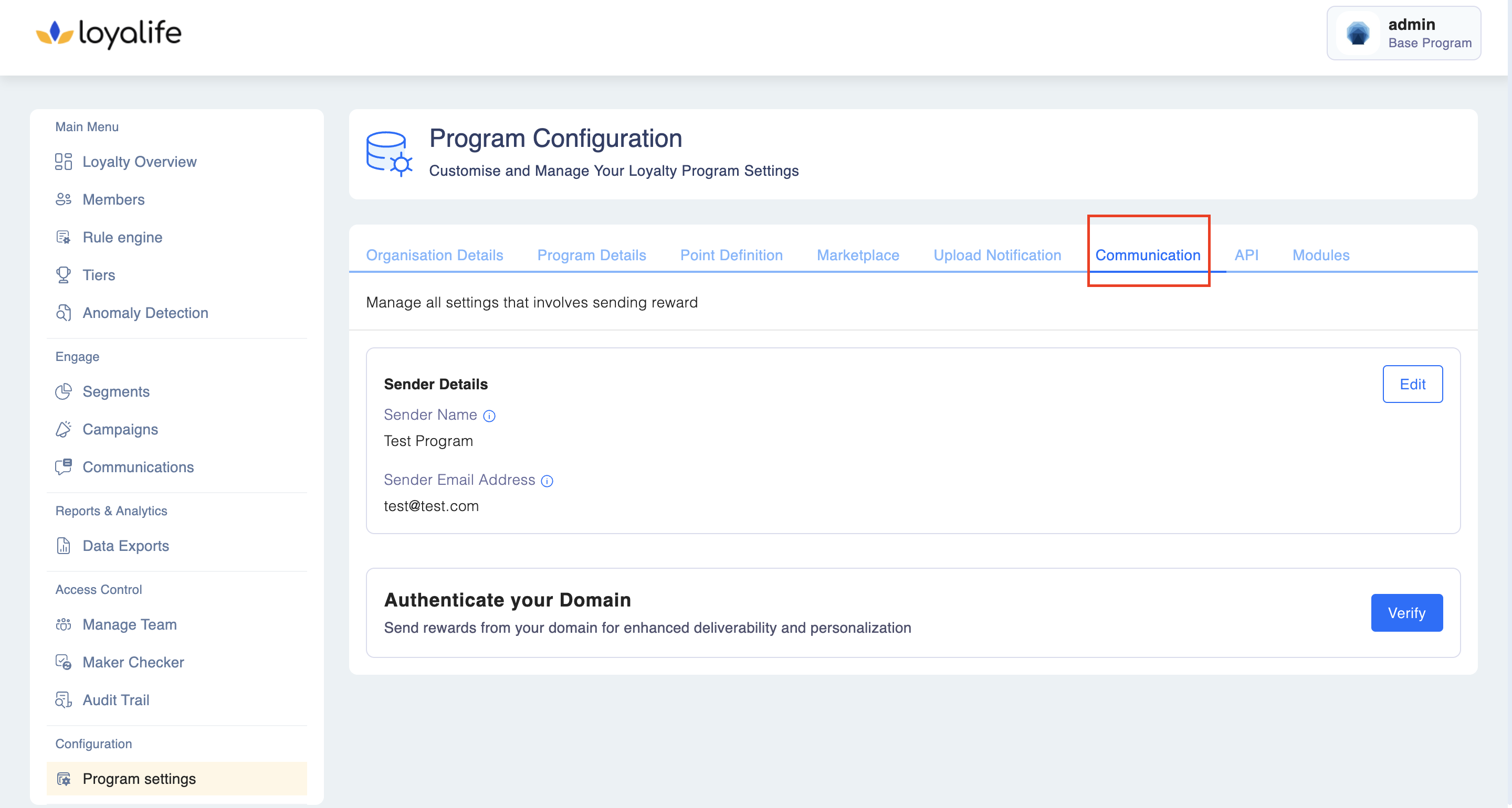
Communication
This section allows you to manage all configurations related to reward communication.
Program Configuration: Communication
Settings Available:
- Sender's Email Address:
- This is the email address that will appear as the sender in emails sent to recipients.
- Sender's Name:
- The name entered here will be displayed as the sender of reward-related emails from this platform and program.
- Authenticate your Domain
How to Configure Communication Settings:
Step 1: Navigate to Configuration > Program > Communication tab and click Edit to make changes.
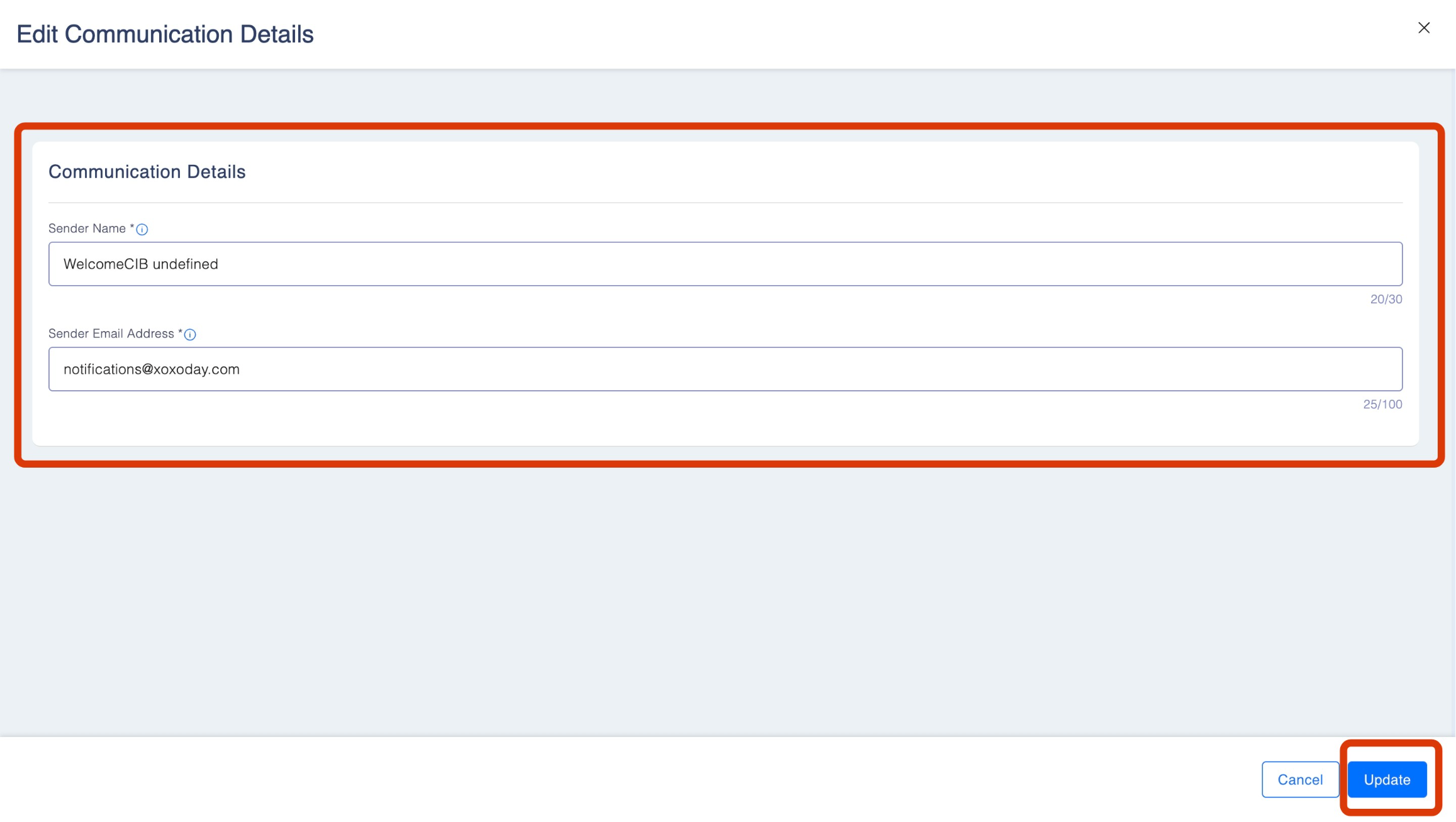
Step 2: Enter the Sender's Name and Sender's Email Address. Click Update to save.
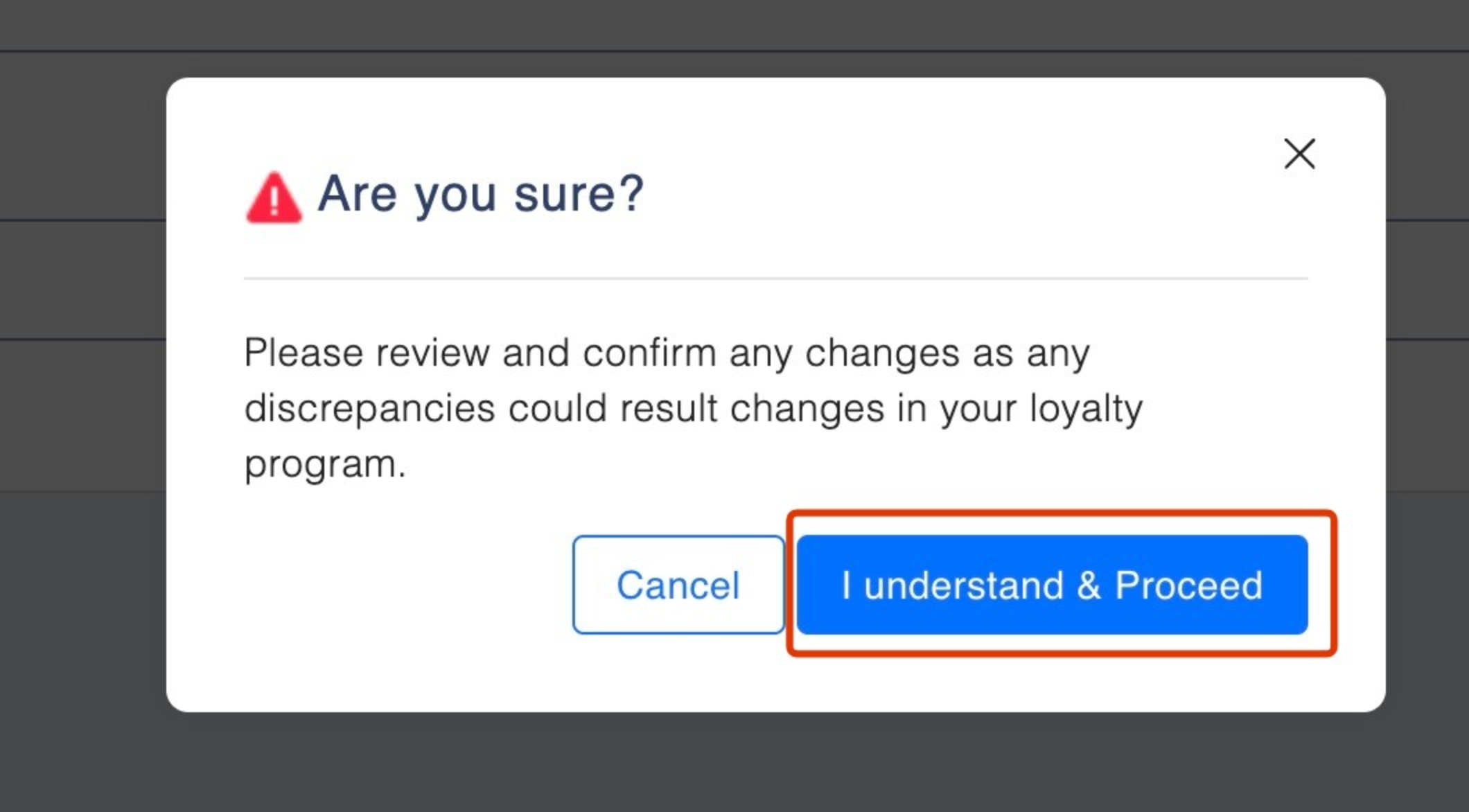
Step 3: Review the details displayed on the page and click I understand and proceed:
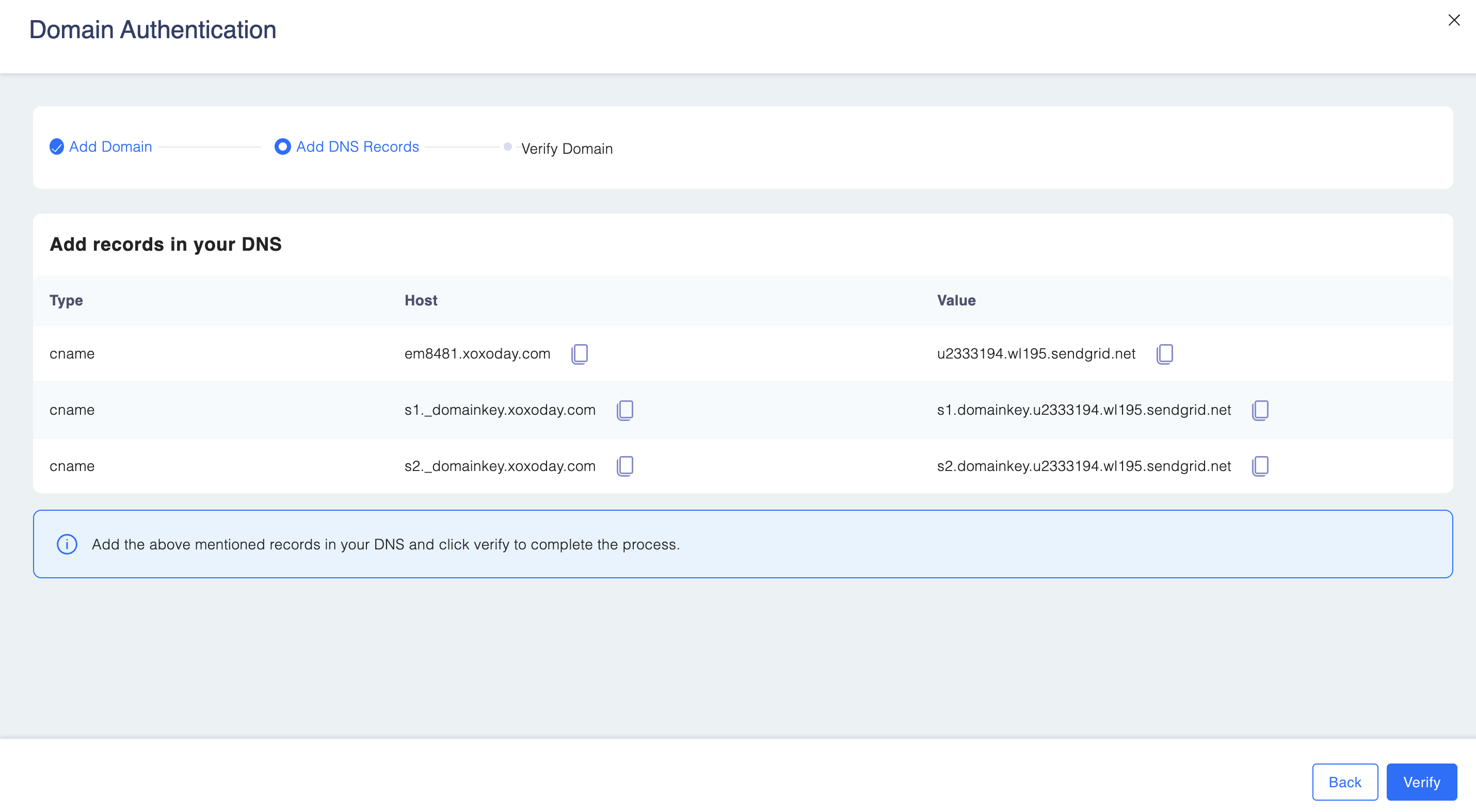
How to authenticate your domain
- Go to Authenticate your Domain card. Click on Verify .

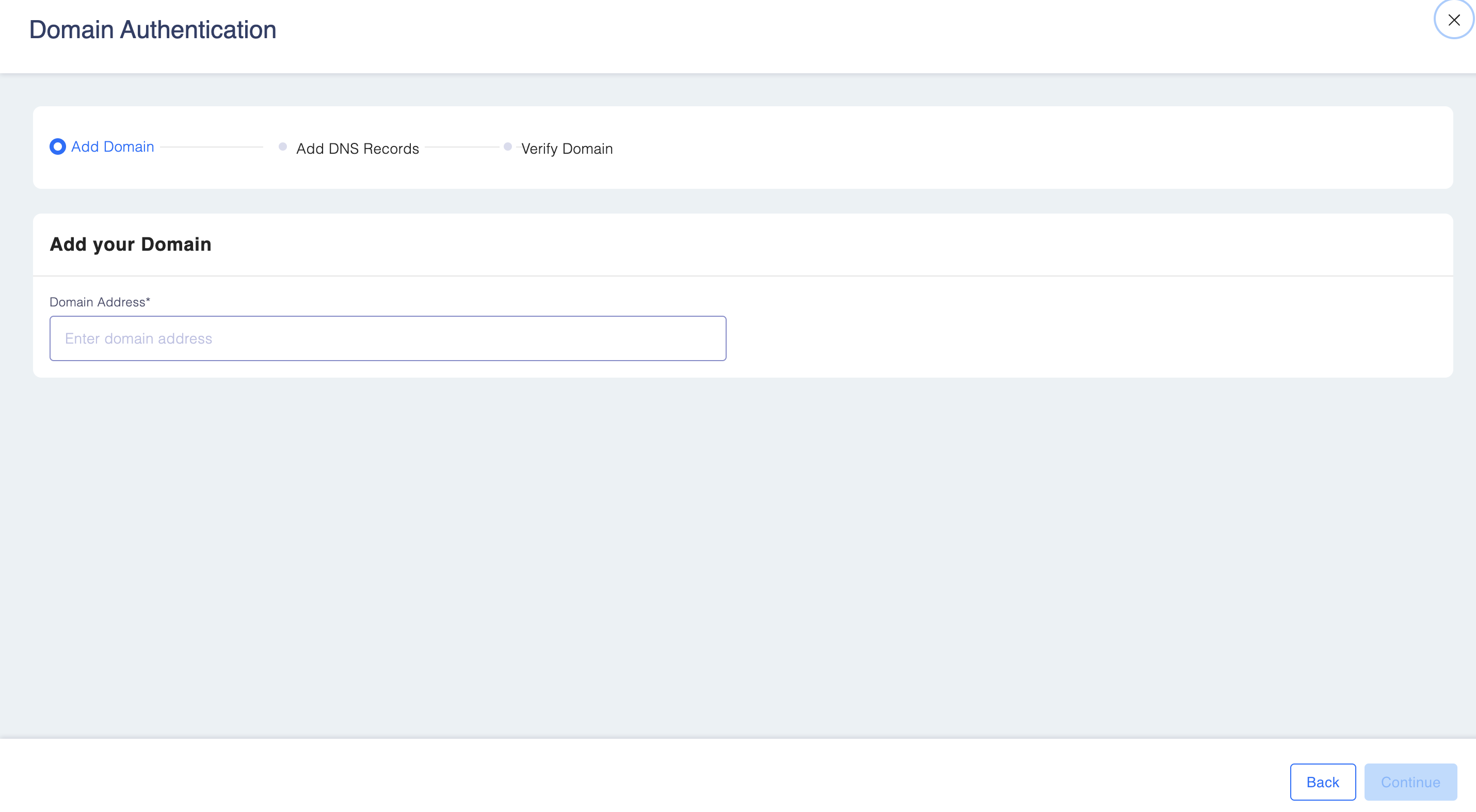
- Add your domain name. Click Continue.
- Add the records in your DNS. Click Verify