
Calculation
Define the calculation mode used in the organization
Configuring the Calculation Mode
The Calculation setting in Program Settings lets you choose how the system measures period-based resets and aggregates across your program. You can select one of two options:
- Calendar Month — Periods reset based on the standard calendar month (default).
- Billing Cycle — Periods reset based on each individual member's configured billing cycle date.
Selecting the appropriate calculation type determines how member capping, aggregate attributes, and rule group evaluations are timed throughout the program.
How to Configure
Step 1: Program Configuration Before adding members, you must define the calculation mode at the program level.
- Navigate to Program Settings > Calculation tab.
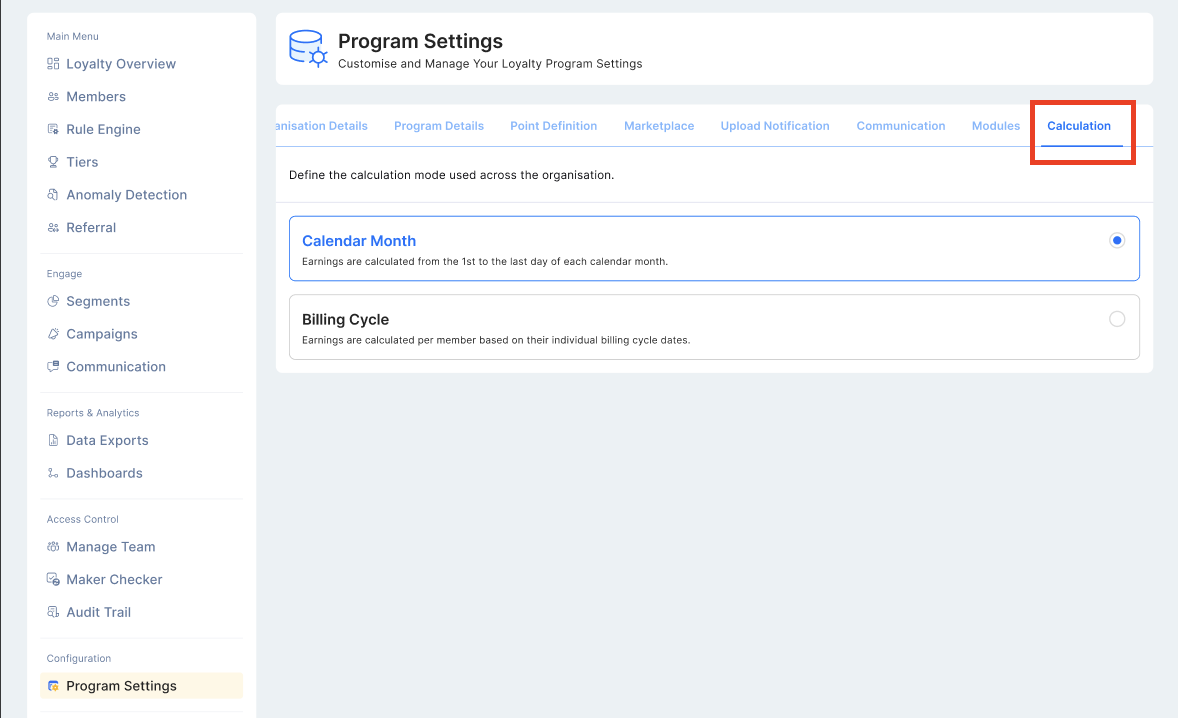
- Select Billing Cycle from the list (Default is Calendar Month).
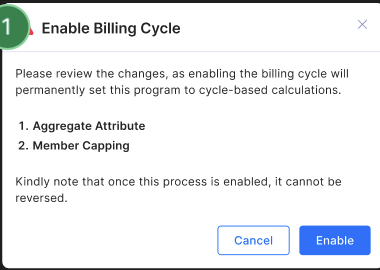
Note:
- Once Billing Cycle is enabled, it cannot be disabled.
- Billing Cycle cannot be enabled if the program already has existing members or transactions.
- If Calendar Month mode is active, the Billing Cycle option will not be visible in the Calculation module.
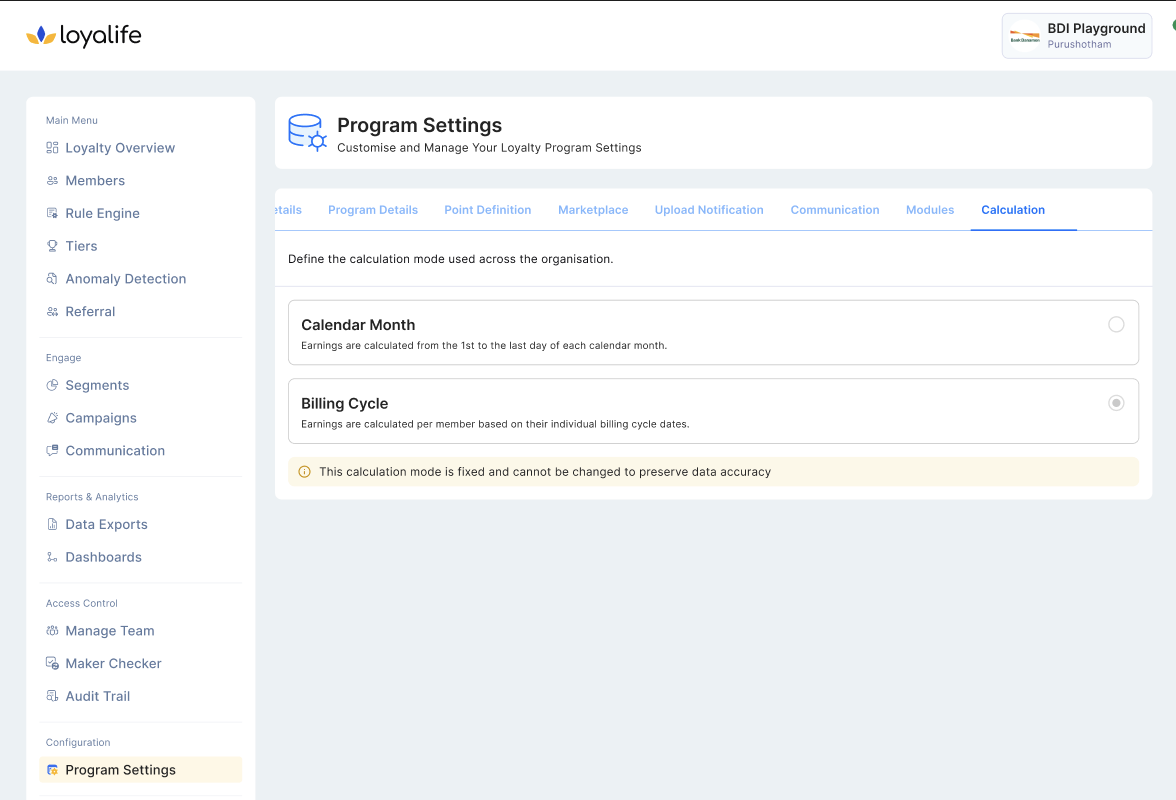
Key Impact
Changing the calculation mode affects how several parts of the system behave. Refer to the relevant articles for details:
- Member Attribute — Enabling Billing Cycle introduces a new mandatory Billing Cycle attribute required during member creation.
- Member Profile — Additional fields (Current Cycle, Remaining Days) appear on the member profile when Billing Cycle is enabled.
- Aggregate Attributes — A Billing Cycle time period becomes available for aggregate attribute configuration.
- Capping — Member-level capping resets follow the billing cycle, while product and group capping continue to reset on the first of each calendar month.