
Maker-Checker Workflow for Attribute Management
Overview
The Maker-Checker workflow is designed to enhance governance and compliance for Client BDI’s loyalty program. This workflow introduces a two-step verification process for all modifications to attributes in both the Member Management and Rule Engine modules. These changes can impact data flows, reward logic, and personalization, making auditability and control essential.
What’s Covered Under Maker-Checker
Once enabled, the following activities require approval:
- Member Management
- Create, edit, or delete member attributes
- Edit preferred language of member attributes
How It Works
Step 1: Maker (Propose a Change)
- Submit a change request in the system (attribute addition, edit, or removal).
- Provide a clear business justification (e.g., “Introducing a new attribute to capture member tier preferences”).
- Click on "Send for Approval".
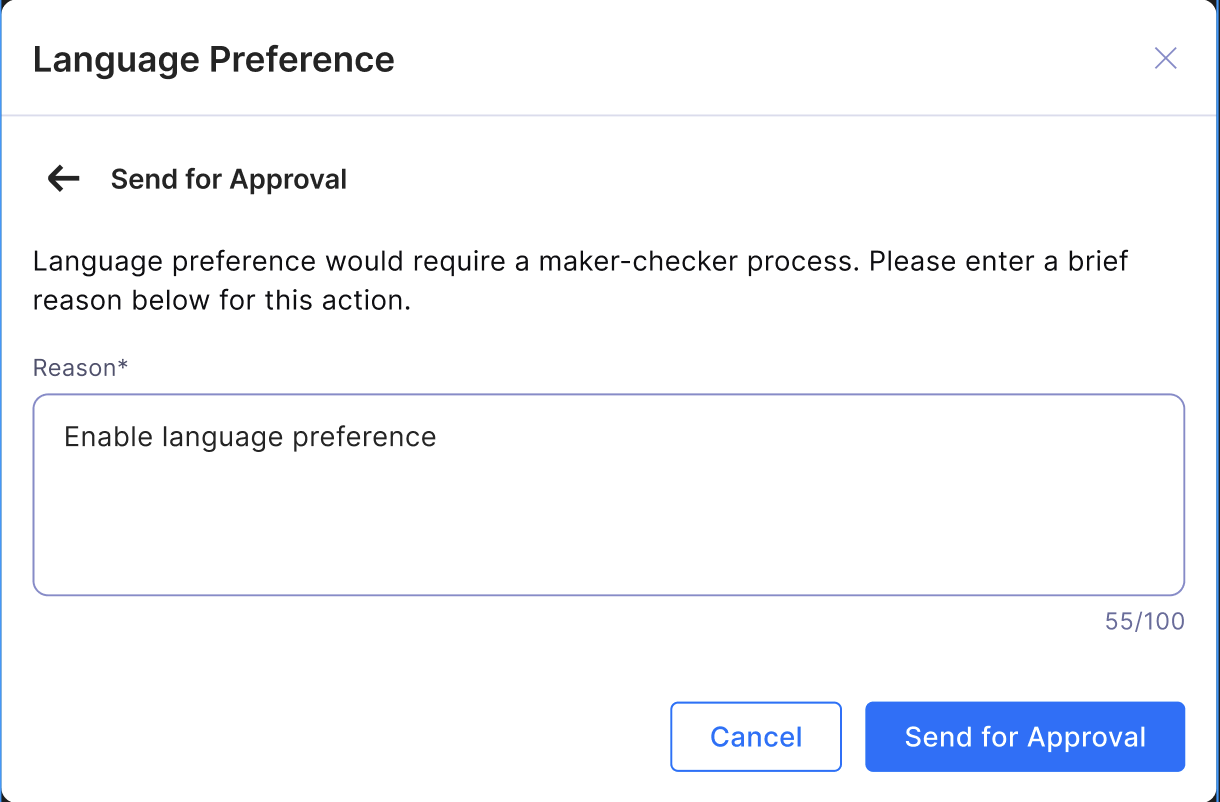
Step 2: Checker (Approve or Reject)
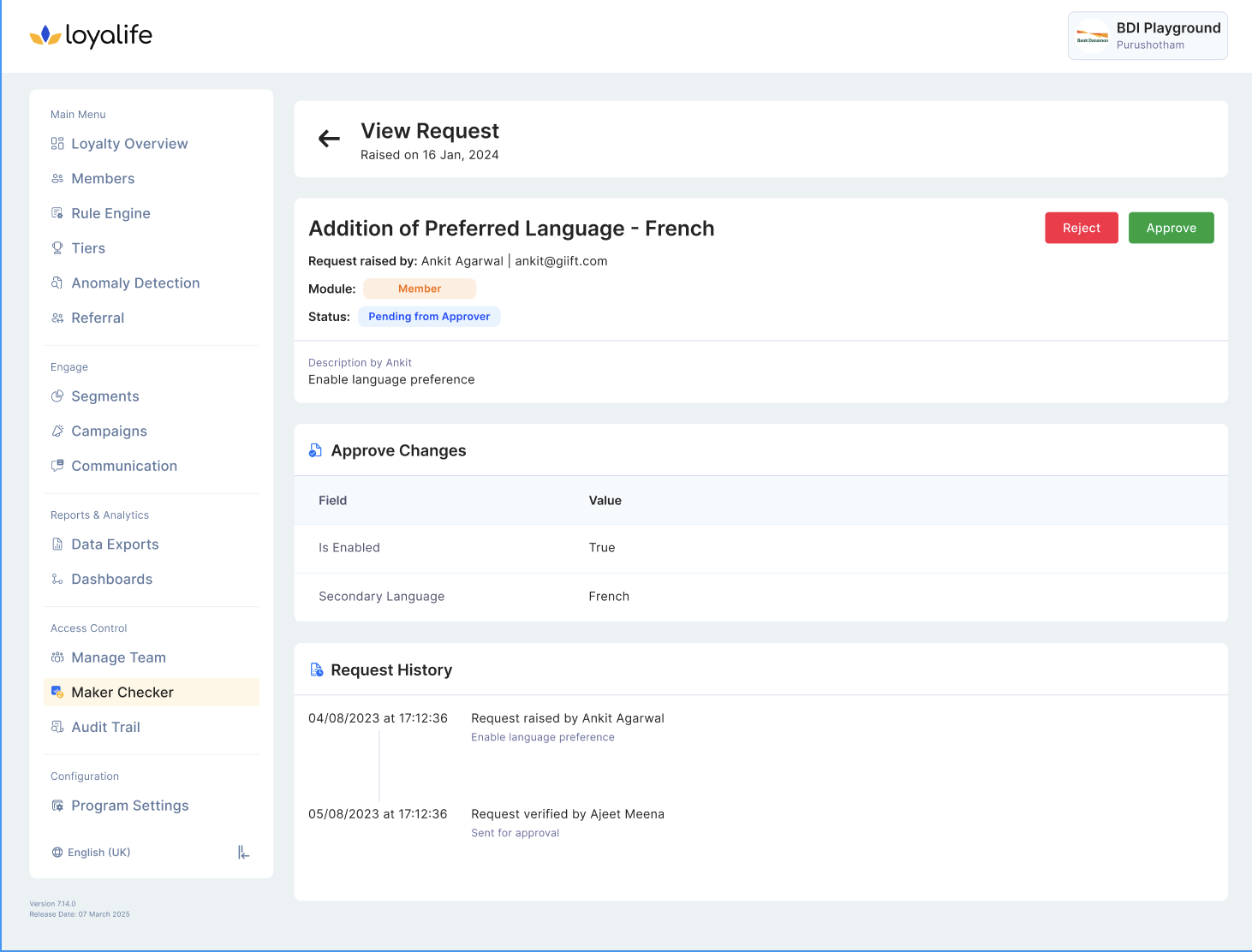
- Checker navigates to Access Control >> Maker Checker.
- Review the request with focus on accuracy, compliance, and business impact.
- Decision:
- Approve: The change is applied system-wide and logged in the audit trail.
- Reject: The change is blocked. Checker must provide a rejection reason.
Audit Trail & Accountability
- For every request, the system captures:
- Maker details (who raised it, when, and why)
- Checker details (who approved/rejected, when, and why)
- Action outcome (Approved/Rejected)
- Full history of changes for compliance and audit reviews
This means business leaders, auditors, and compliance officers always have visibility into “who changed what and why.”
How to Enable Maker-Checker
- Navigate to: Advanced Configuration > Modules > Attribute Management
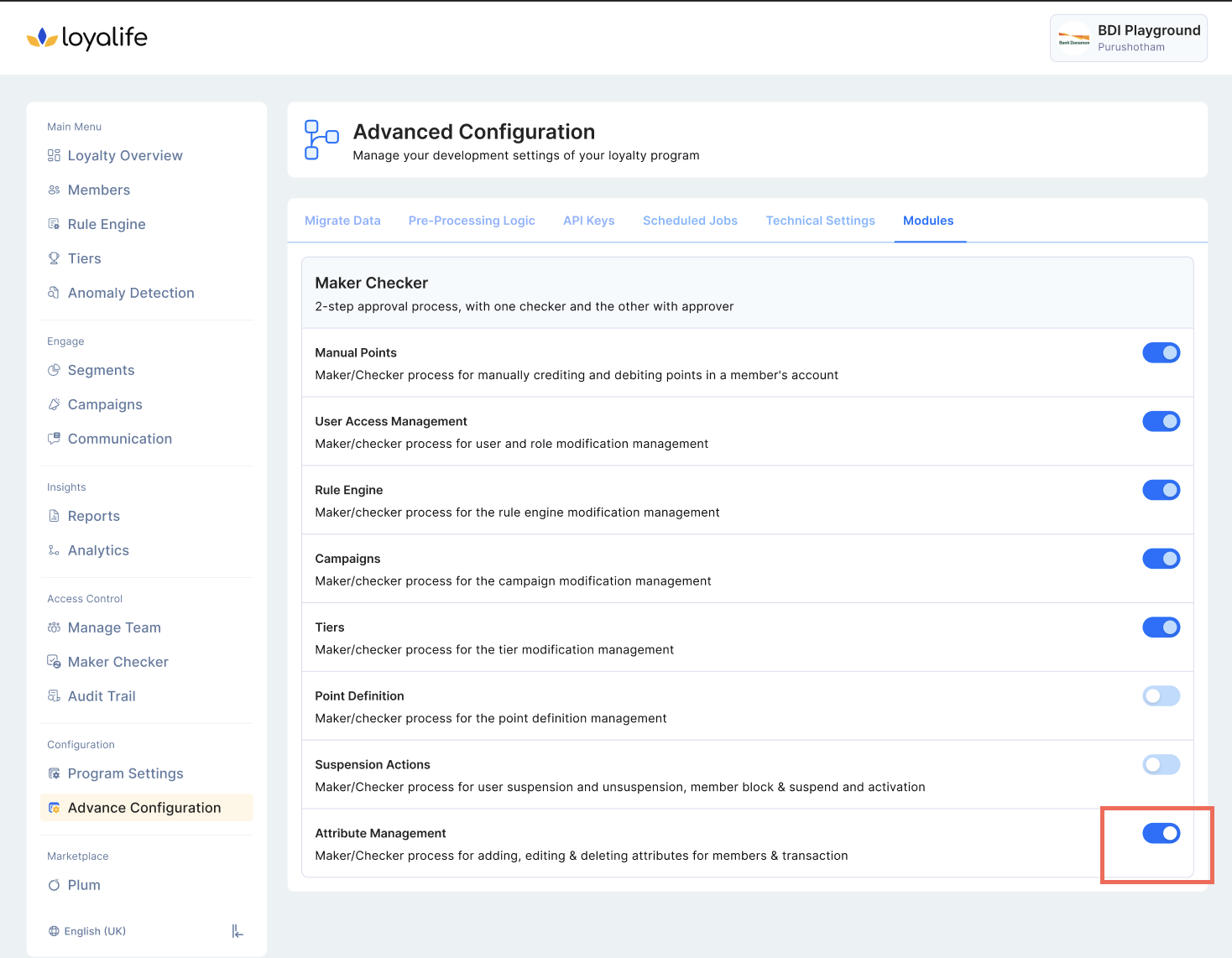
- Enable Maker-Checker Workflow
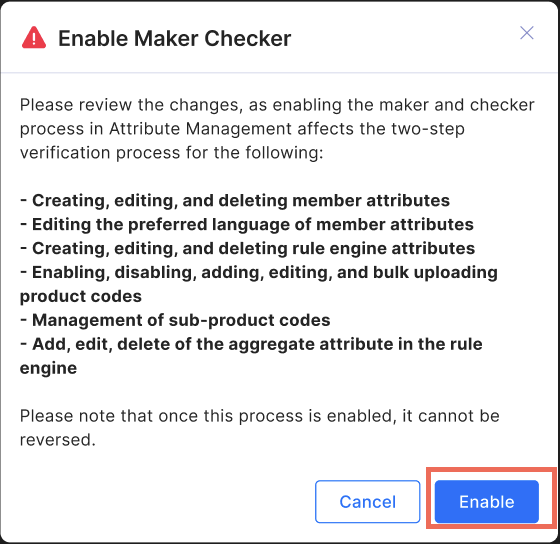
- Confirm activation (⚠️ cannot be reversed once enabled)