
On-Behalf Redemption
Overview
Loyalife now supports On-Behalf Redemption, allowing authorized users to redeem points on behalf of members. This feature is especially useful for VIP members or members who cannot redeem points themselves.
Key Features
- On-Behalf Redemption Permission: Only users with this specific permission can redeem points on behalf of members.
- SSO Access to Marketplace: Authorized users log into the marketplace via Single Sign-On (SSO) to perform redemptions for members.
- Comprehensive Audit Trail: All on-behalf activities—including logins and redemptions—are logged and tagged under “On Behalf Redemption” in transaction reports.
- Transaction Reporting: A new filter “On Behalf Redemption” is available in reports to track these specific transactions.
- E-Statement Integration: Redemptions made on behalf of members appear under the “Redemption Value” section of members’ e-statements.
How to Redeem Points On Behalf of a Member
Step 1: Log In via SSO:
Authorized user logs into the marketplace using their credentials linked to the on-behalf redemption permission.
Step 2: Go to the Custom Storefront URL
Navigate to Program Settings > Marketplace > Custom Storefront URL > Add URL
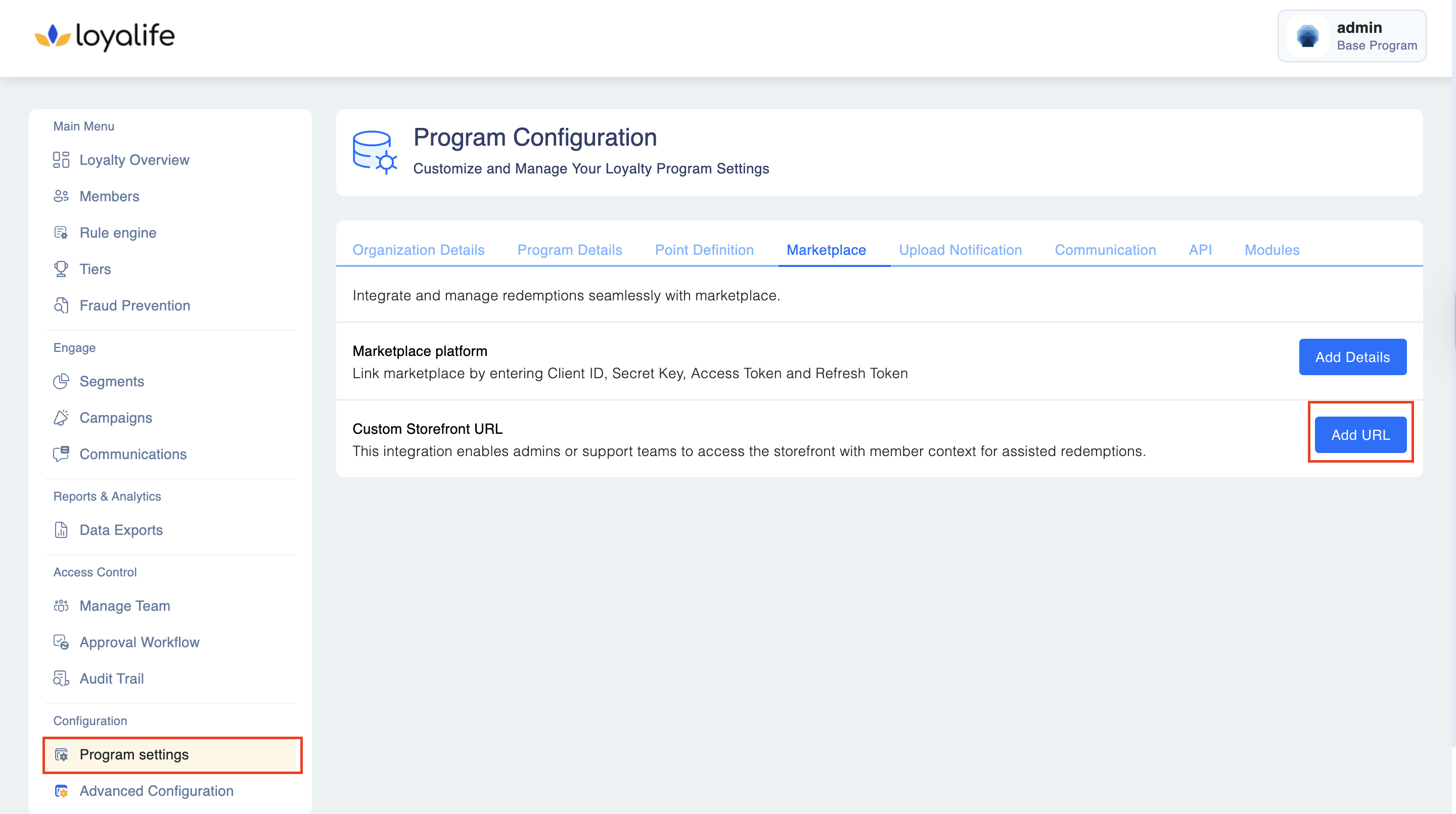
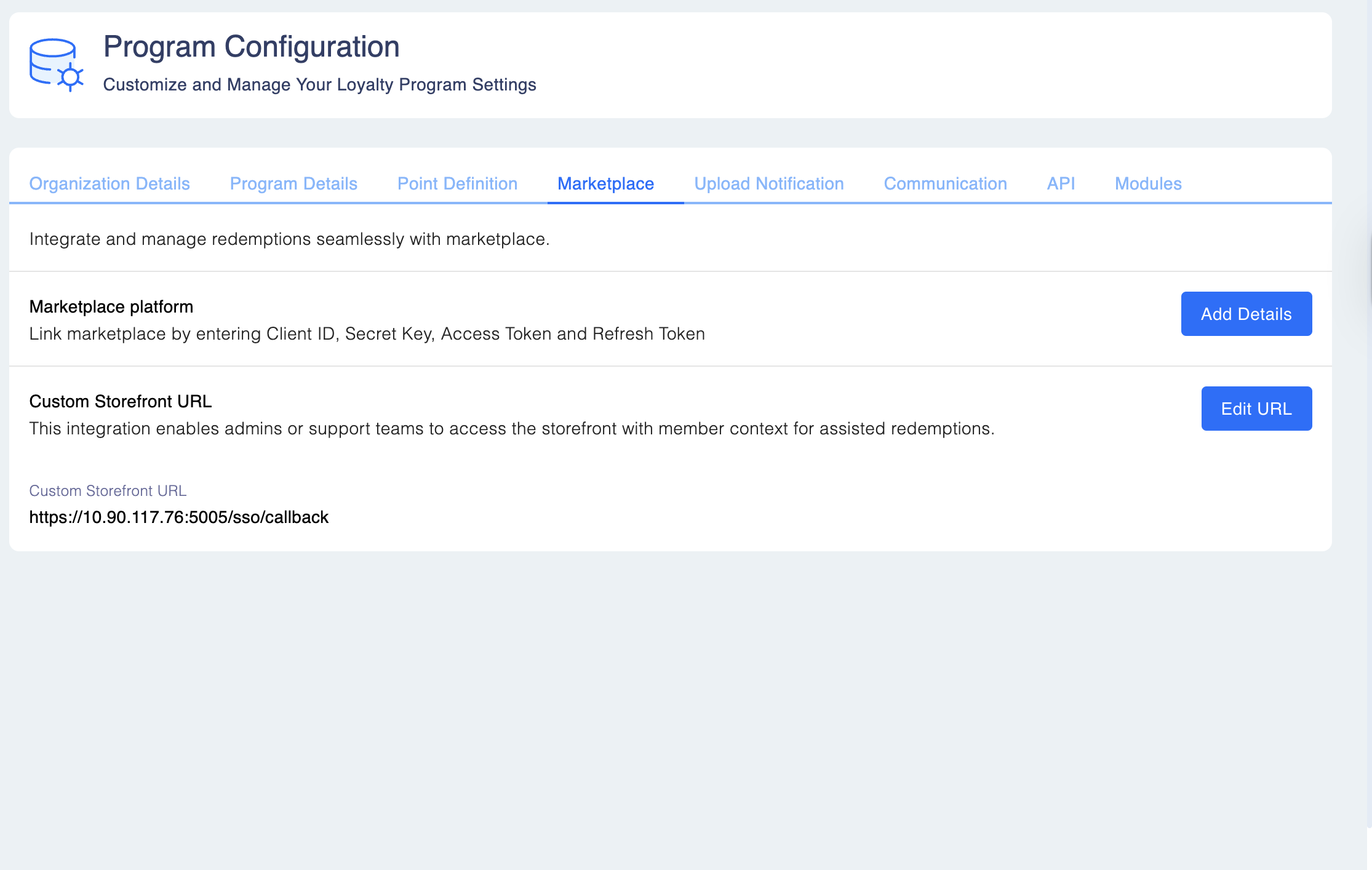
Step 3: Add the Storefront URL.
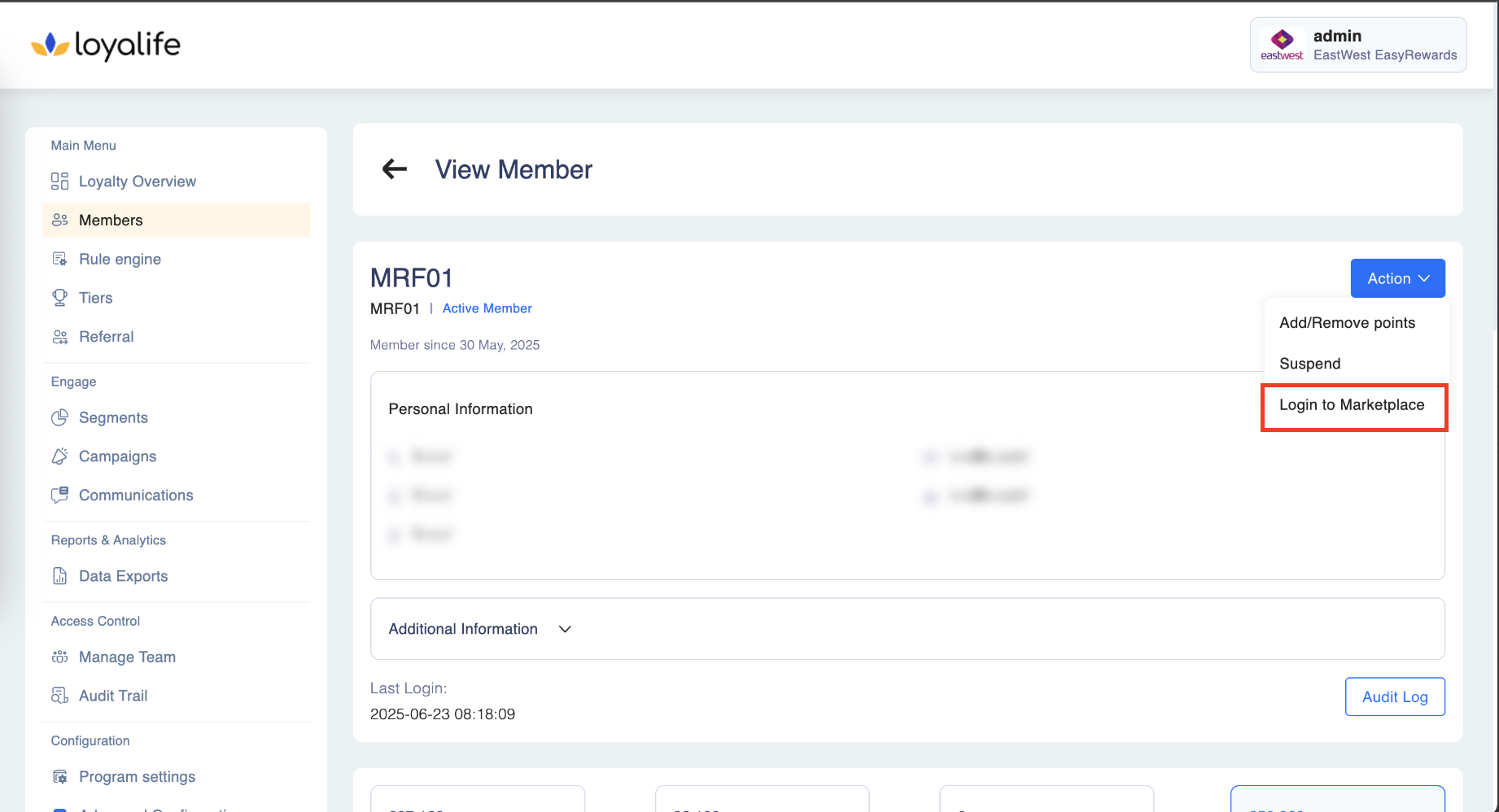
Step 4: Access Member Account:
To login to marketplace, access a specific member account by navigating to Members → Search Members → Member Profile. Click on Action and select Login to marketplace.
Step 3: Redeem Points:
Select the desired rewards and complete the redemption using the member’s points balance.
Step 4: Confirmation & Logging:
The redemption is recorded in the audit trail, tagged as “On Behalf Redemption”, and reflected in the member’s e-statement.
Monitoring and Reporting
- Use the “On Behalf Redemption” filter in the transaction reports to view all redemptions made via this method.
- Audit logs include login activity for users with on-behalf permission.
- Administrators should regularly review logs to ensure compliance and prevent unauthorized activity.