
Archive Users
Learn to archive users on Loyalife.
If a user account needs to be archived:
- Navigate to the Access Control ➝ Manage Team ➝ Manage Users ➝ Select a User ➝ Click Menu ➝ Archive User.
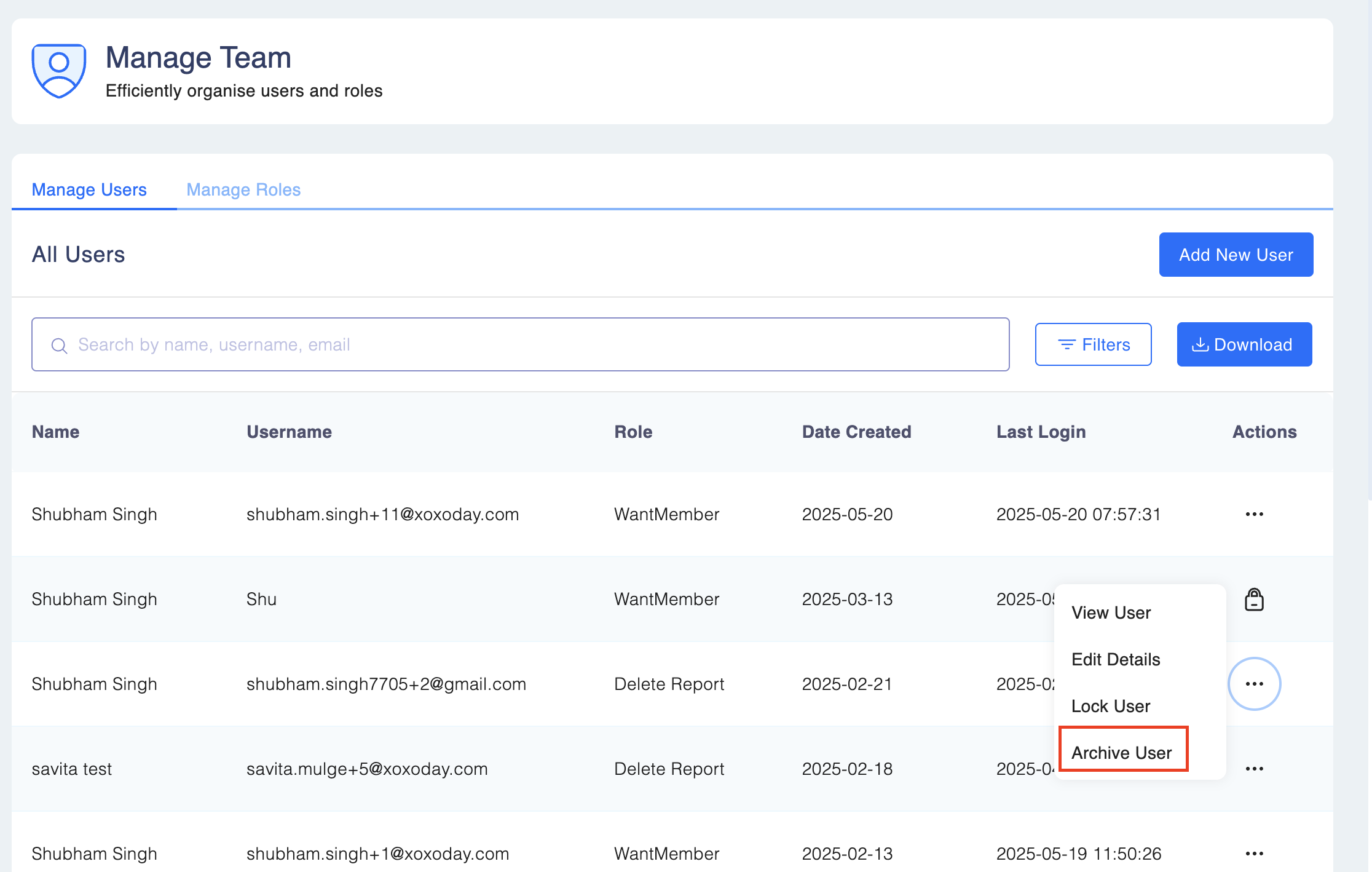
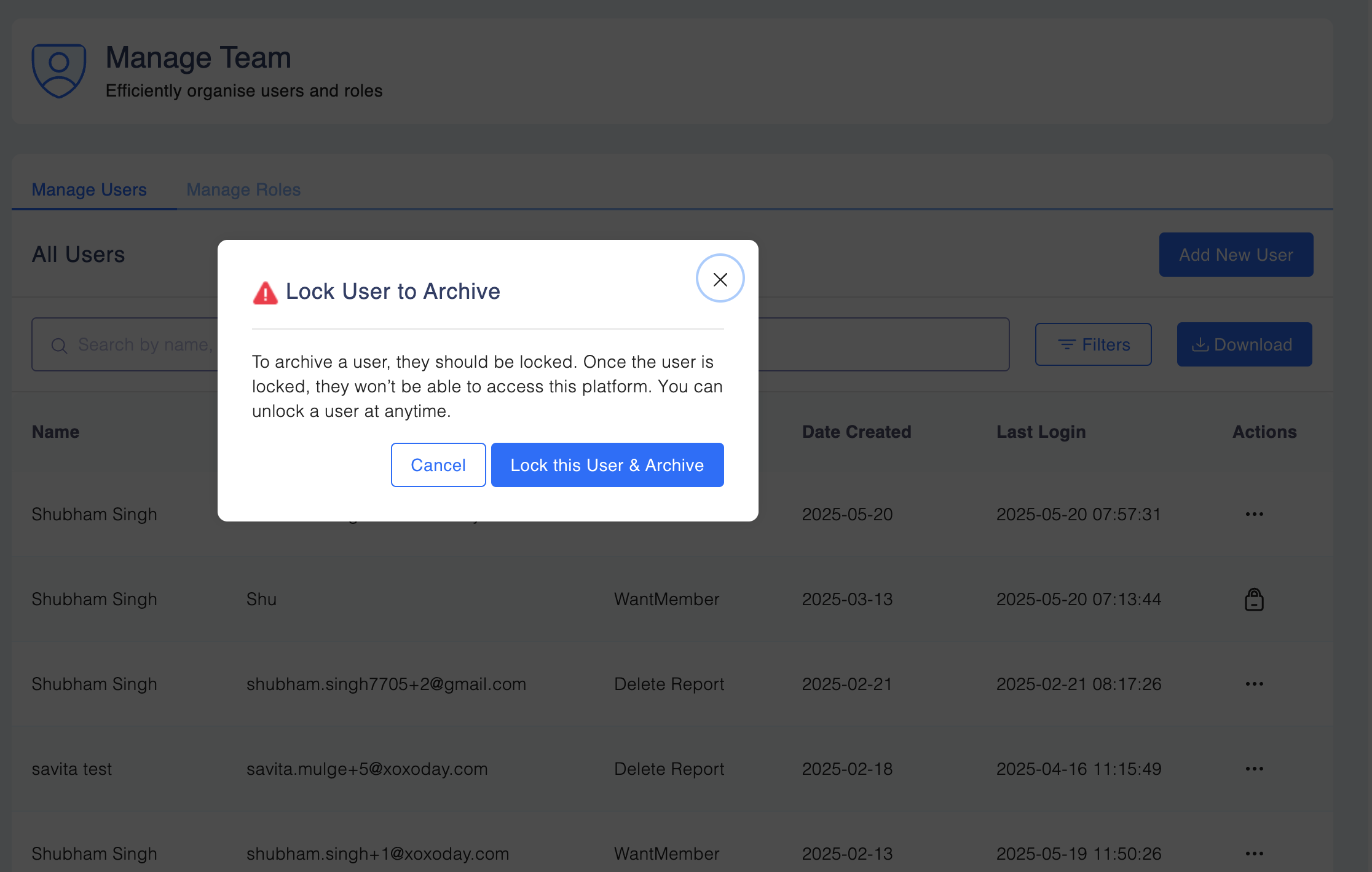
Please note: A user must be locked before it can be archived. When you click Archive User, the system locks the user and then archives it. Later, you can choose to unlock the user if needed.
Unarchiving a User in Loyalife
Step 1: Navigate to Access Control → Manage Team ➝ Manage Users
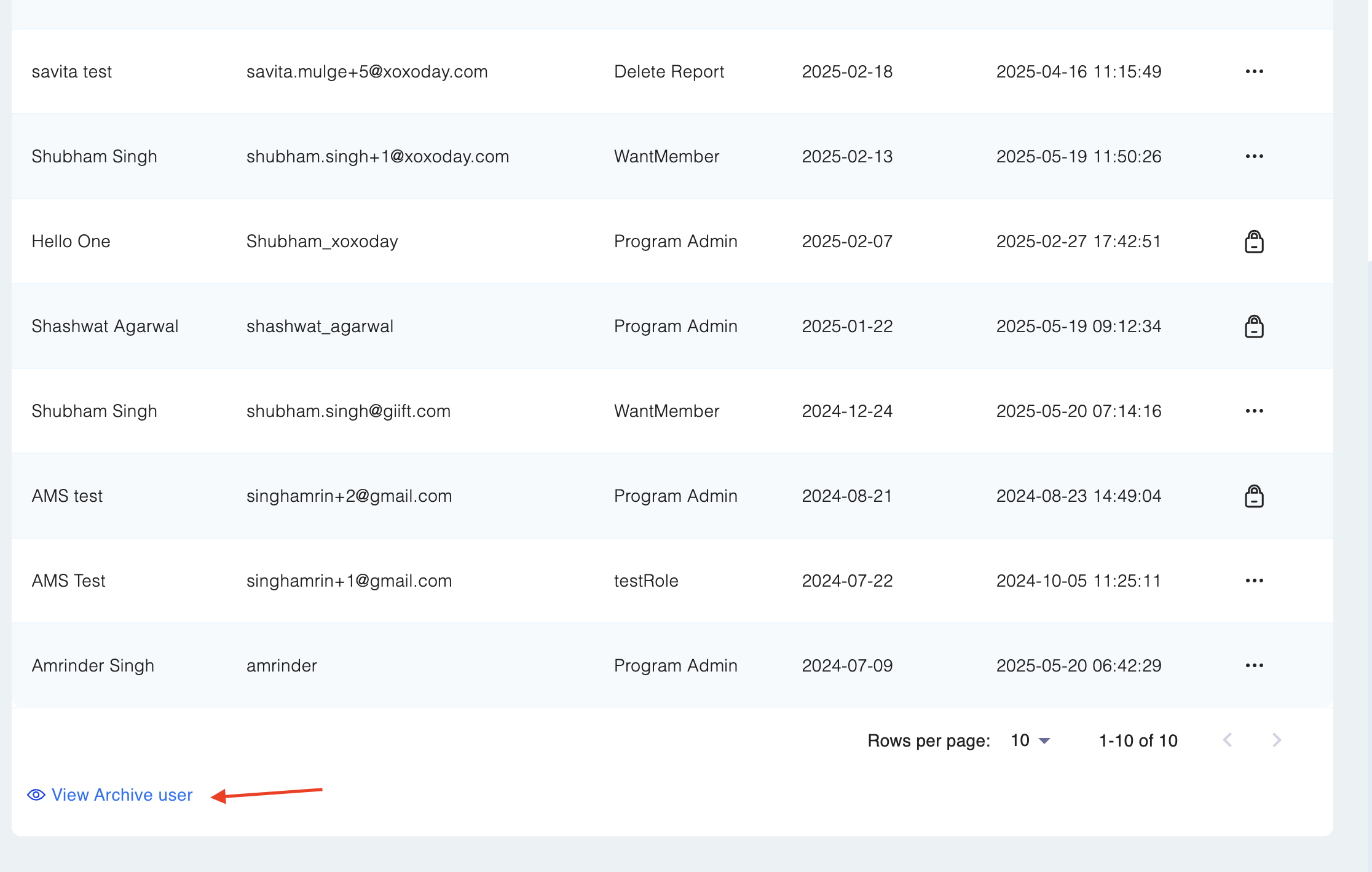
Step 2: Click on View Archived Users at the bottom left. Find the archived user by searching for their Name, Email, or Role.
Step 3: Click on the User Actions Menu (⋮) next to the user. Click Unarchive User.
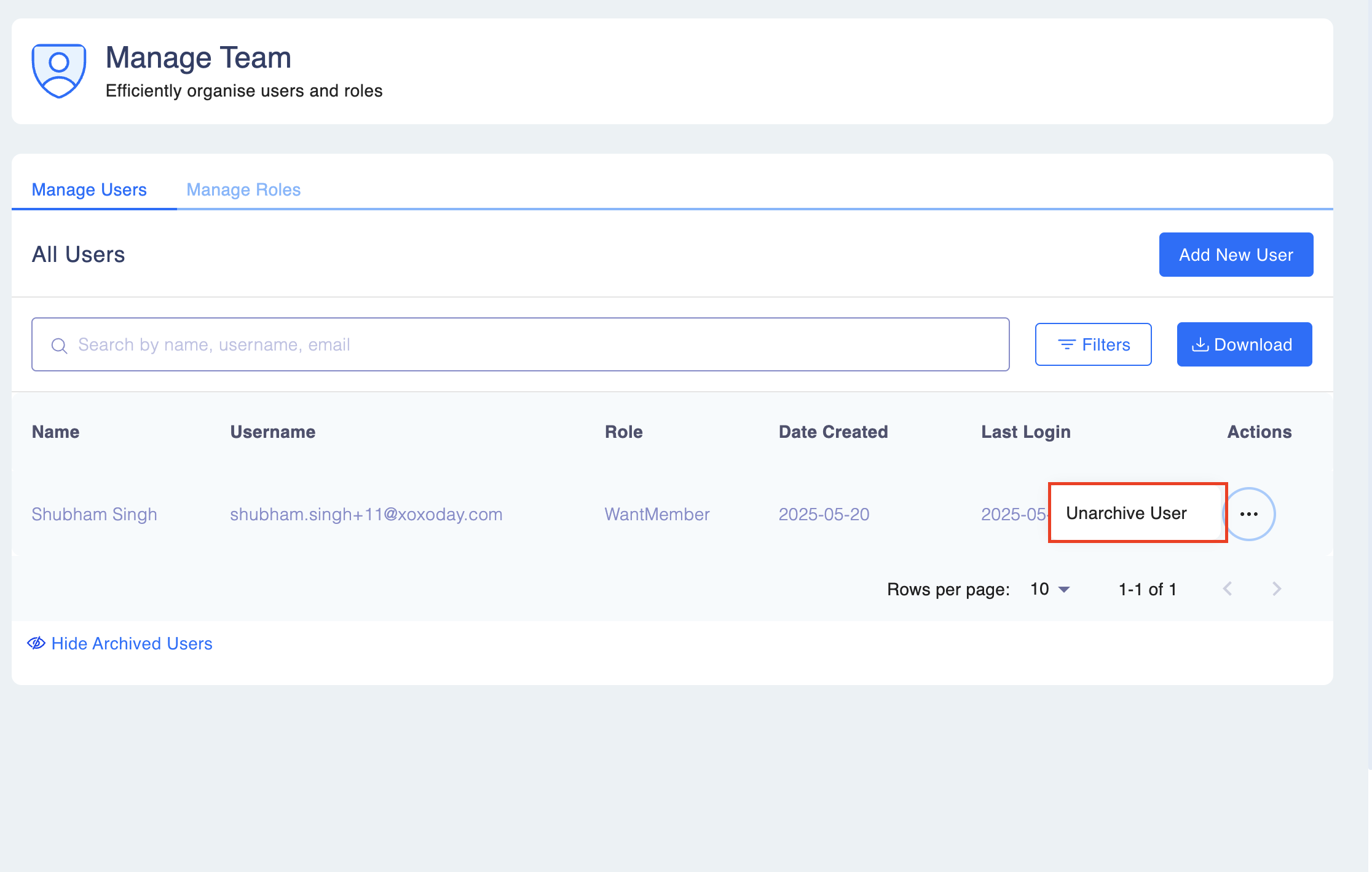
Confirm the action. The user will be unarchived and restored with their previous access rights.
Audit Logs & Reactivation Behavior
We have enhanced the system logic and audit trails to handle cases where a user is reactivated or re-added after being locked or archived.
- Reactivating via "Add User" : If you attempt to create a new user using an email address associated with a locked or archived account, the system will identify the duplicate and display the following message:
"This email is associated with a locked/archived user. The existing user will be reactivated upon approval."
- Audit Trail Enhancements: The audit trail now clearly distinguishes between creating new users and reactivating existing ones to ensure accurate logging:
- Maker Stage (Request Submission): The log will record the specific intent: "Request submitted to unlock/unarchive existing user [username] for email [email]".
- Checker Stage (Approval): The log will explicitly state:
- "User [username] unlocked" (if the user was previously locked).
- "User [username] unarchived" (if the user was previously archived).
- Username Verification: If a username exists but is associated with a different email address, the system will update the user record to the new email address upon approval.