
Blocking and Unblocking a member
Membership Blocked for Full Program Restriction
- Overview
The Membership Blocked feature allows administrators to restrict a member’s participation in the loyalty program. Unlike the existing “Blocked” status, which only prevents login and redemption but still allows point accrual, this new restriction enforces a full program block.
When applied, the member is prevented from performing any loyalty actions (login, earn, or redeem) until the block is explicitly lifted by an admin. This feature is particularly useful for scenarios such as fraud investigations, compliance issues, or regulatory actions.
How to Apply Membership Blocked
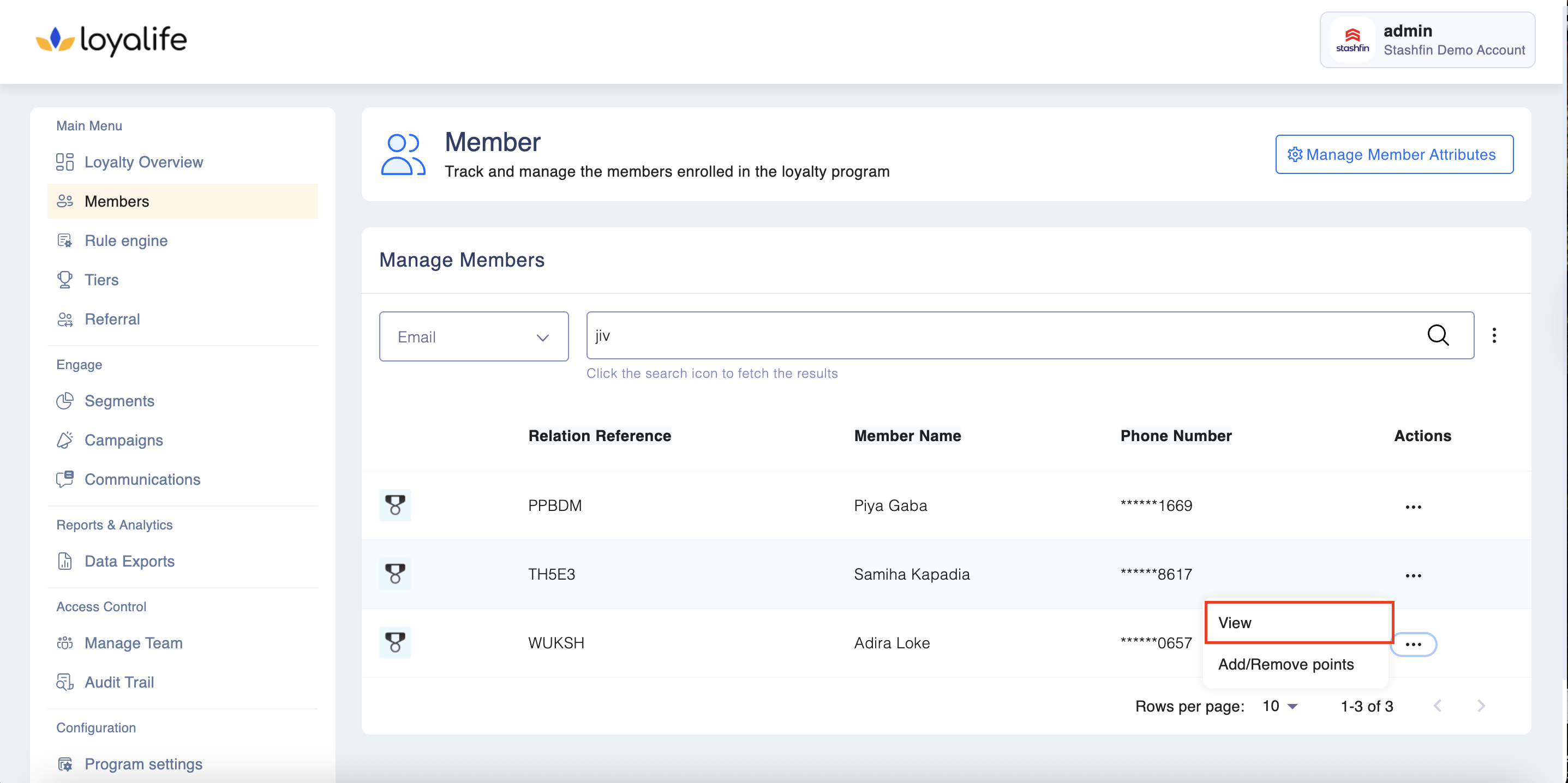
Step 1: Navigate to Member Profile
- Go to Admin Dashboard → Members → Search Member.
- Open the member’s profile.
Step 2: Change Membership Status
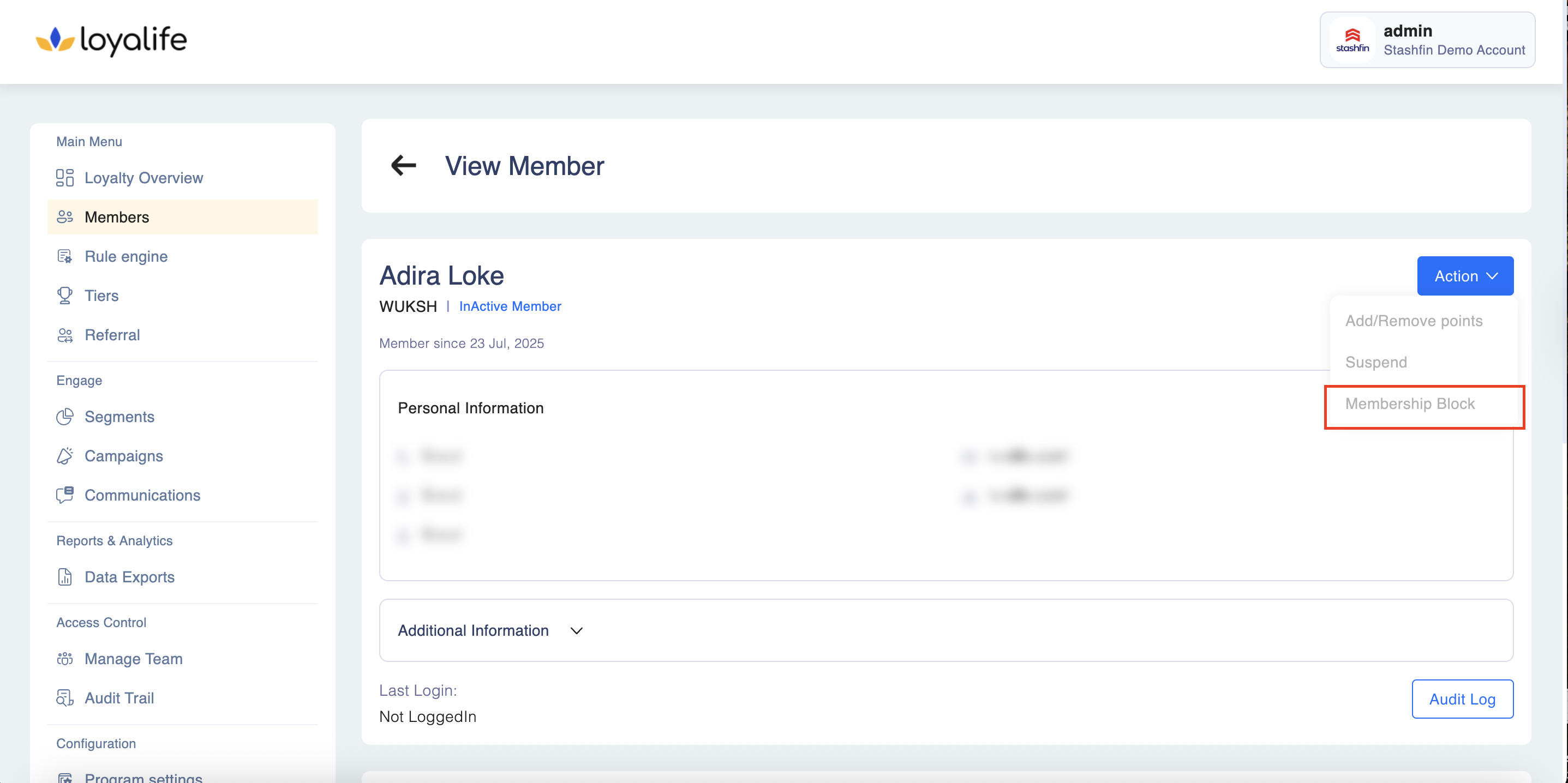
- In the Membership Status section, select Membership Block (Full Restriction) from the dropdown list.
- Provide a reason (fraud, regulatory action, manual admin block, etc.).
Step 3: Save & Confirm
- Click Save.
- A confirmation popup will appear to prevent accidental blocking.
- Once confirmed, the member will be fully restricted from all loyalty actions.
System Behavior After Applying Membership Blocked
- Login: Member cannot access their account.
- Earning Points: Blocked from earning through transactions, promotions, or manual adjustments.
- Redemption: All redemption options are disabled.
Lifting a Membership Block
- Navigate to the blocked member’s profile.
- In the Membership Status dropdown, select Active (or any other permissible status).
- Provide an unblock reason.
- Save changes.
- Once lifted, the member regains access and program participation privileges.
Use Cases
- Fraudulent Activity: Member account suspected of abuse.
- Regulatory Action: Compliance requirements mandate suspension.
- Customer Request: Member requests voluntary suspension.
Audit & Logs
- All Membership Blocked actions are logged under Admin Activity Logs.
- Includes admin name, timestamp, reason for block/unblock.
- Ensures compliance and traceability.