Enabling Maker Checker
Navigate to Configurations > Program Settingsoption in the sidebar and then go to Modules.
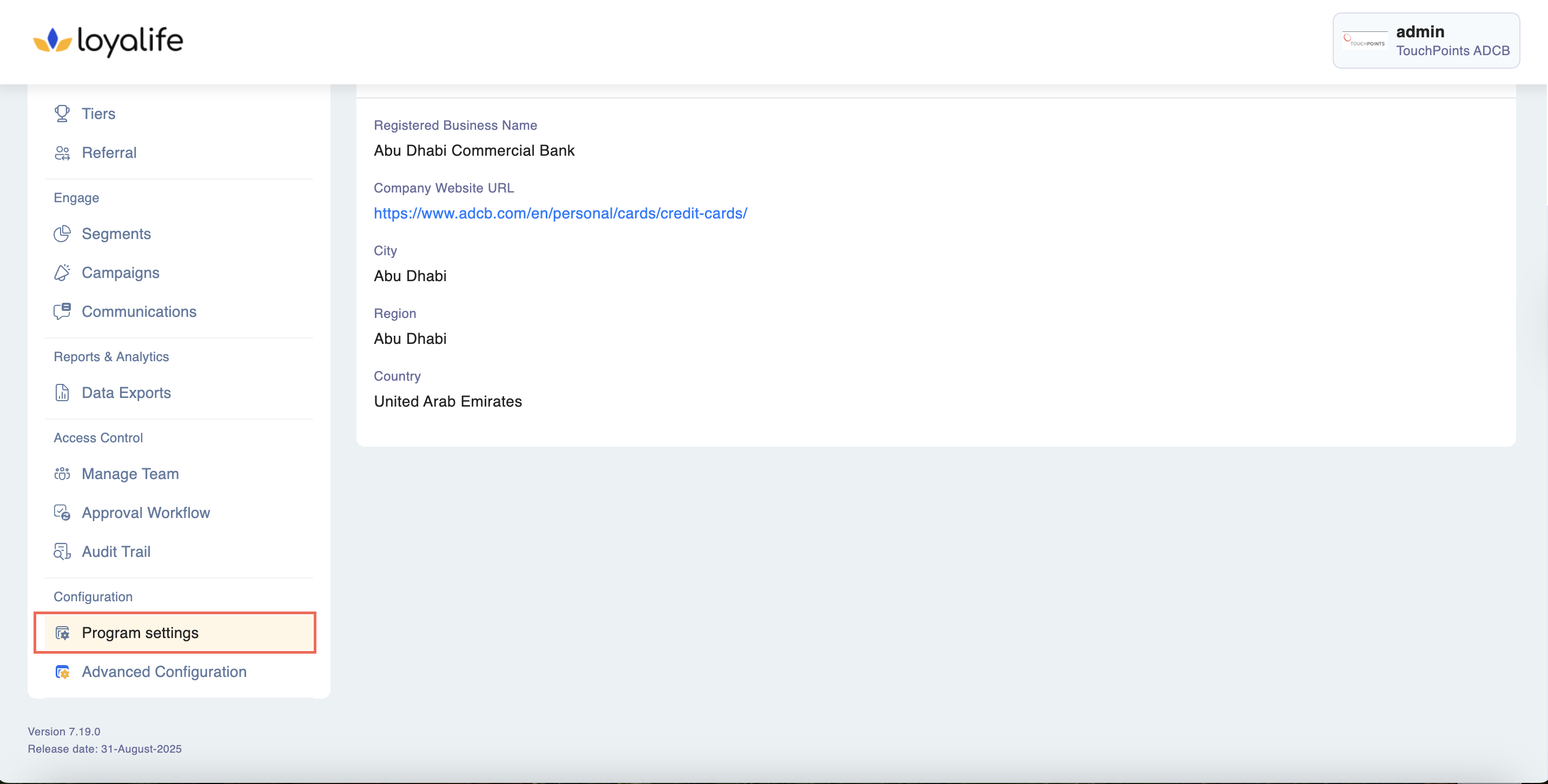
Access Modules: In the Program section, find and click on the "Modules" or "Module Configuration" option. This will allow you to configure various system modules.
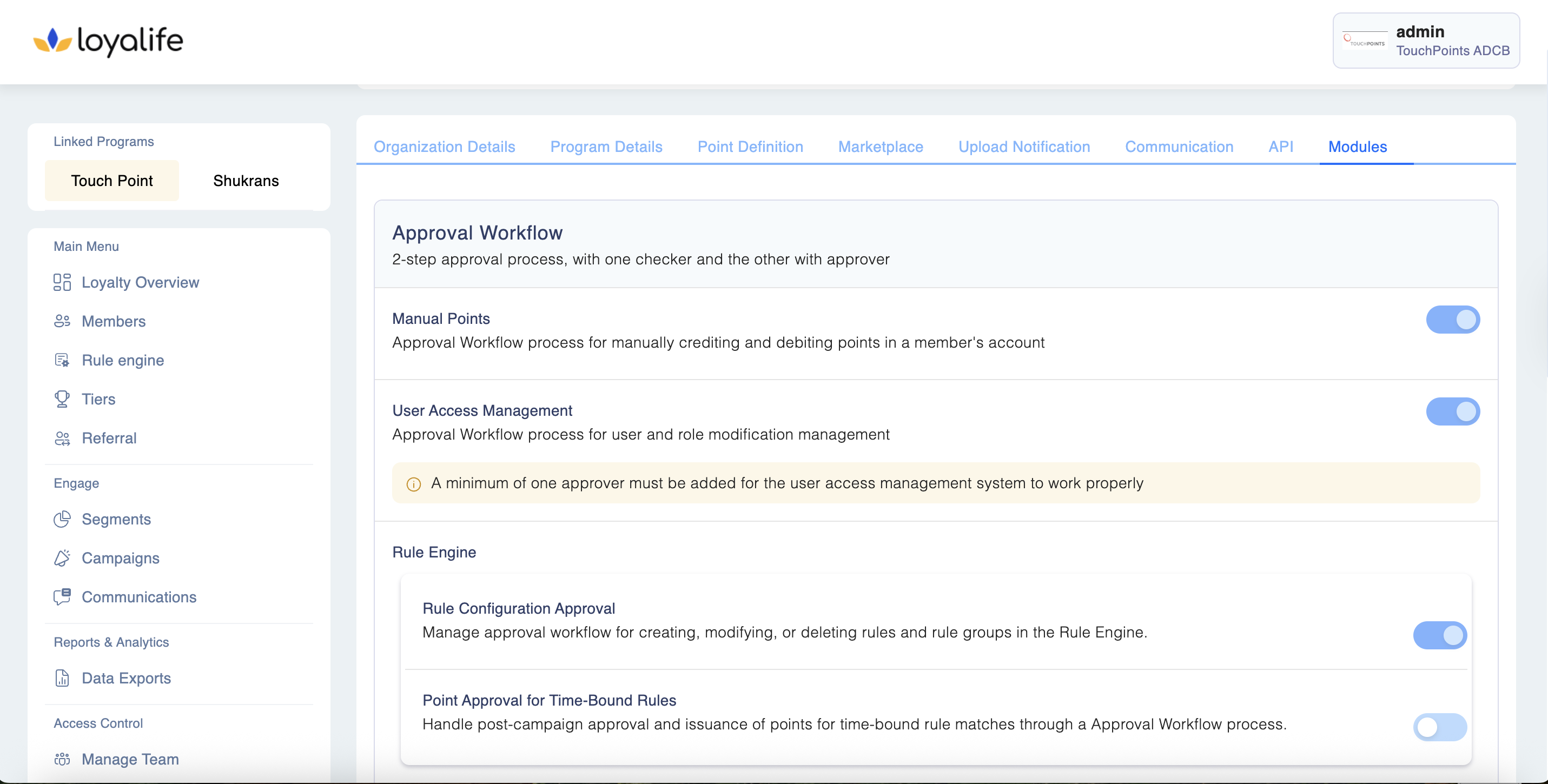
Enable the Module: Toggle the switch or checkbox next to the "Manual Points, Rule Engine, Point Definition, User Access Management through Maker Checker" module to enable it.
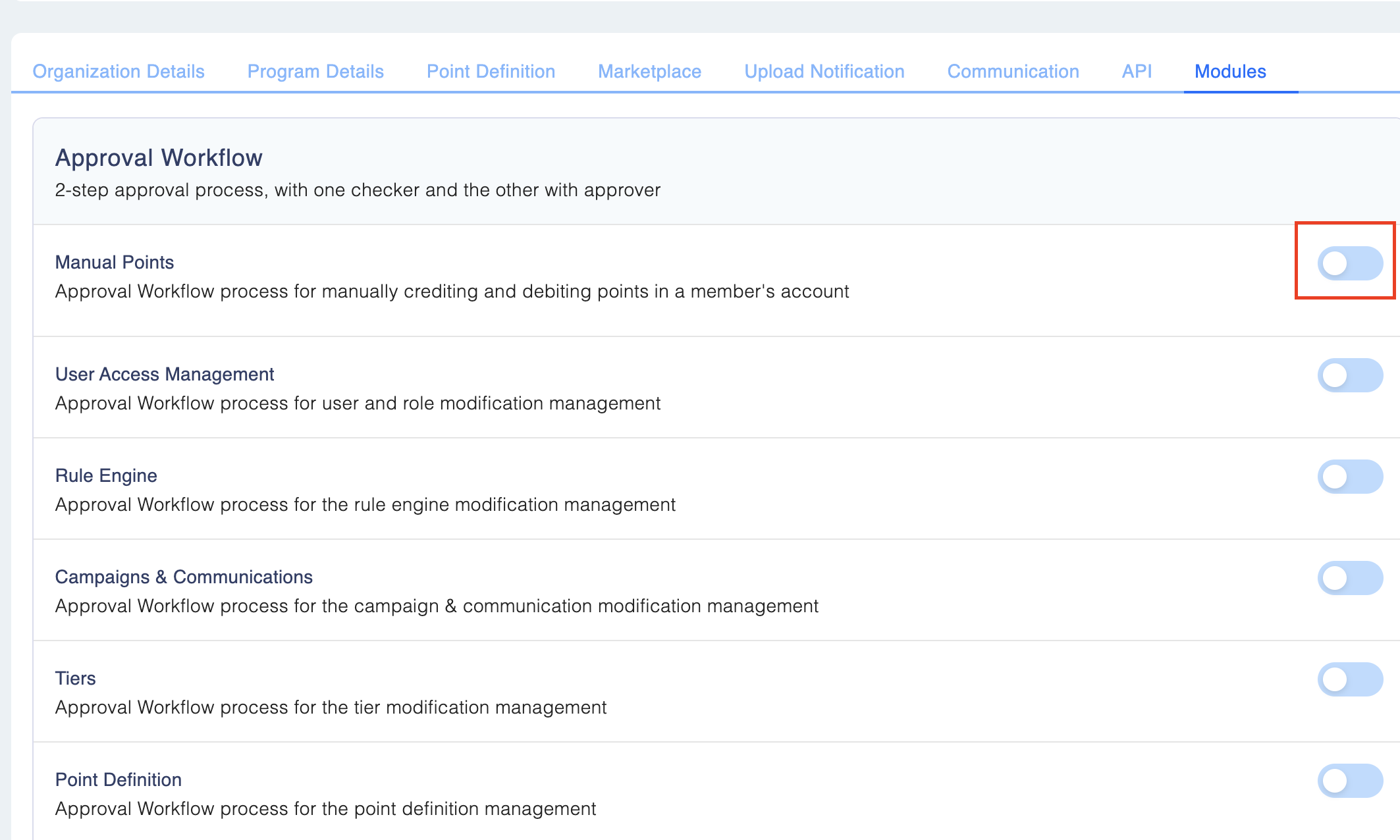
Keep in mindEnabling the Maker-Checker-Approver module is a permanent change and cannot be reverted back to the previous settings. This module enhances security and accuracy in manual points transactions by introducing a multi-level approval process.
Please ensure that you want to proceed with this activation, as it cannot be undone. Proceed with caution, and only activate this module if it aligns with your organization's workflow and requirements.
Maker Checker module can be enabled for:
Manual Points Transaction
On enabling the module for ‘Manual points’, all manual points added for a customer would go through the maker checker process.
User Management
On enabling the module for ‘User Management’, all Role and User related activities such adding a user, editing a role etc. would go through the maker checker process.
Rule Engine Changes
On enabling the module for ‘Rule Engine’, all Rule Engine related activities such as creating, activating, disabling and archiving a rule etc. would go through the maker checker process.
- Rule Configuration Approval: Manage approval workflow for creating, modifying, or deleting rules and rule groups in the Rule Engine.
- Point Approval for Time-Bound Rules: Handle post-campaign approval and issuance of points for time-bound rule matches through a Approval Workflow process.
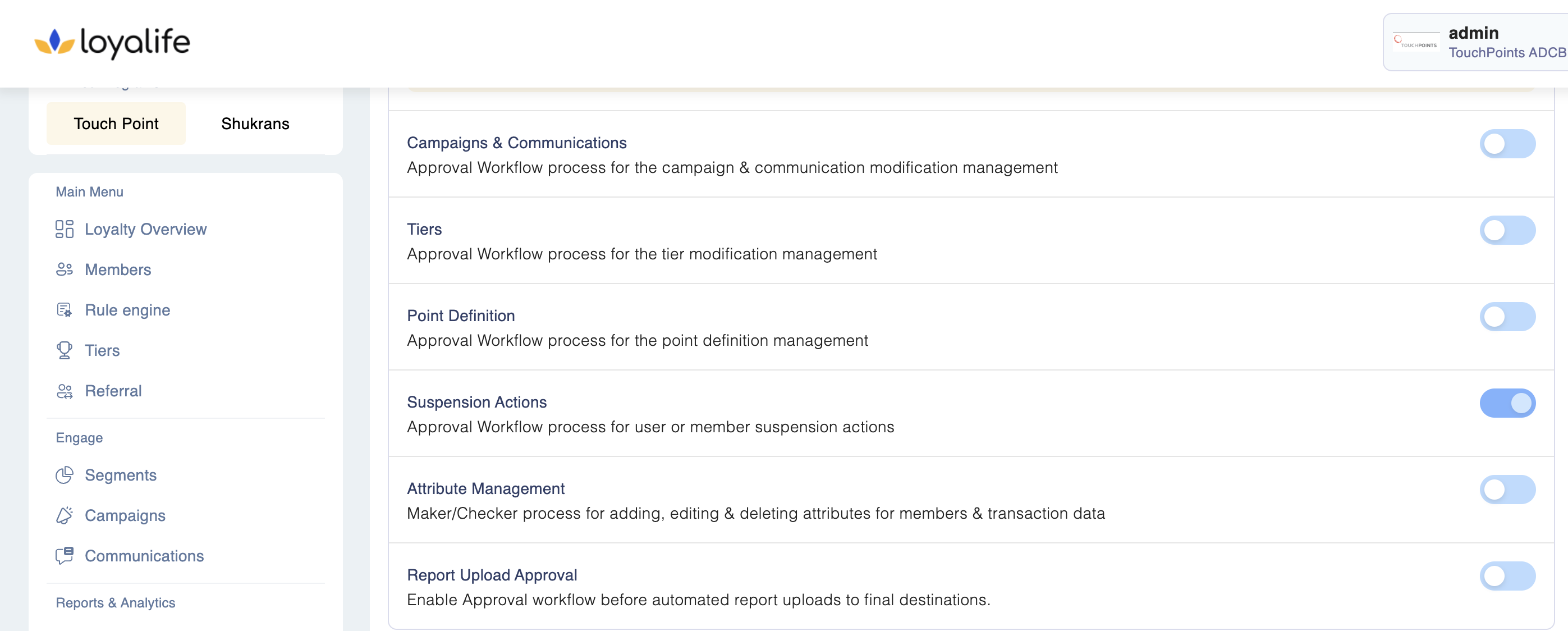
Campaigns & Communications
- Users can submit requests for approval for:
- Promotional
- Transactional
- Custom event communications
- These requests follow the Maker Checker process for verification and approval.
- Existing Maker Checker permissions for Campaigns now also cover the Communication module.
- Email alerts for pending Maker Checker actions include both Campaign and Communication requests.
Tiers
Approval Workflow process for the tier modification management.
Point Definition
On enabling the module for ‘Point Definition’, changes made in point expiry period or schedule would go through the maker checker process.
Suspension Actions
a) Member Suspension Flow
- Only actions related to suspending or reactivating a suspended member will require approval.
- Blocked members reactivating their status will not go through the Maker Checker process.
- The approval process records:
- Checker/approver’s action (approve/reject)
- Timestamp
- User information
- Email notifications capture all pending actions for this module.
b. RBAC User Suspension Flow
- New permissions introduced:
- Verify suspension action
- Approve suspension action
- Covers:
- Lock/unlock
- Archive/unarchive of RBAC users
Previously managed via User Access Management, this flow is now handled in the "Suspension Actions" module.
Attribute Management:
Maker/Checker process for adding, editing & deleting attributes for members & transaction data
Covers:
- Creating, editing, and deleting member attributes
- Editing the preferred language of member attributes
- Creating, editing, and deleting rule engine attributes
- Enabling, disabling, adding, editing, and bulk uploading product codes
- Management of sub-product codes
- Add, edit, delete of the aggregate attribute in the rule engine
Report Upload Approval:
Enable Approval workflow before automated report uploads to final destinations.