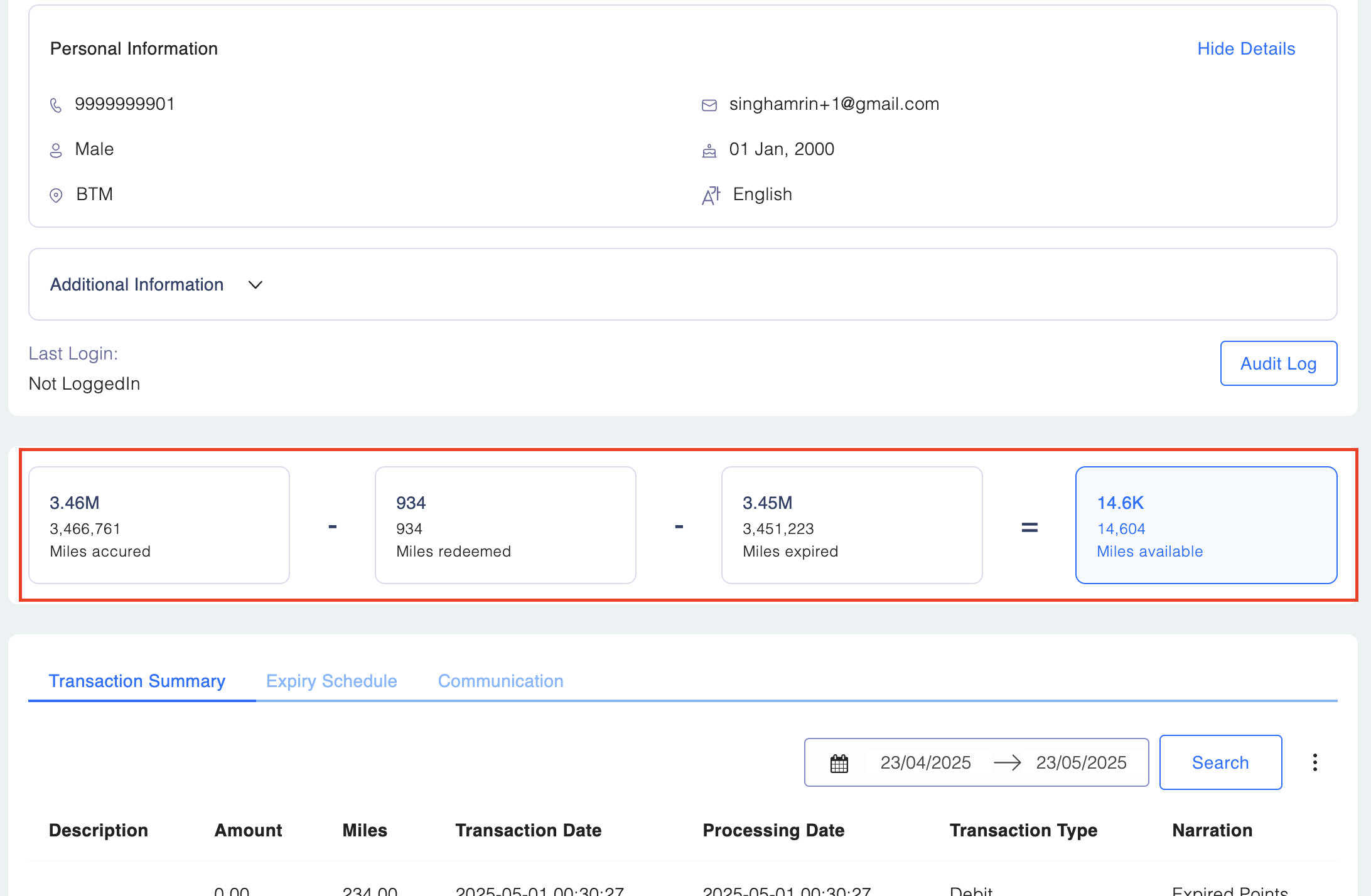
Member Current Balance
As you scroll down the individual member details card, you will see the different balances available for the member.

Click inside the box for detailed overview:
1. Points Accrued:
The total number of points earned by the member. Click on the box for a detailed summary of accrual transactions, where you can view:
- Description
- Amount
- Points
- Transaction Date
- Processing Date
- Transaction Type
- Narration
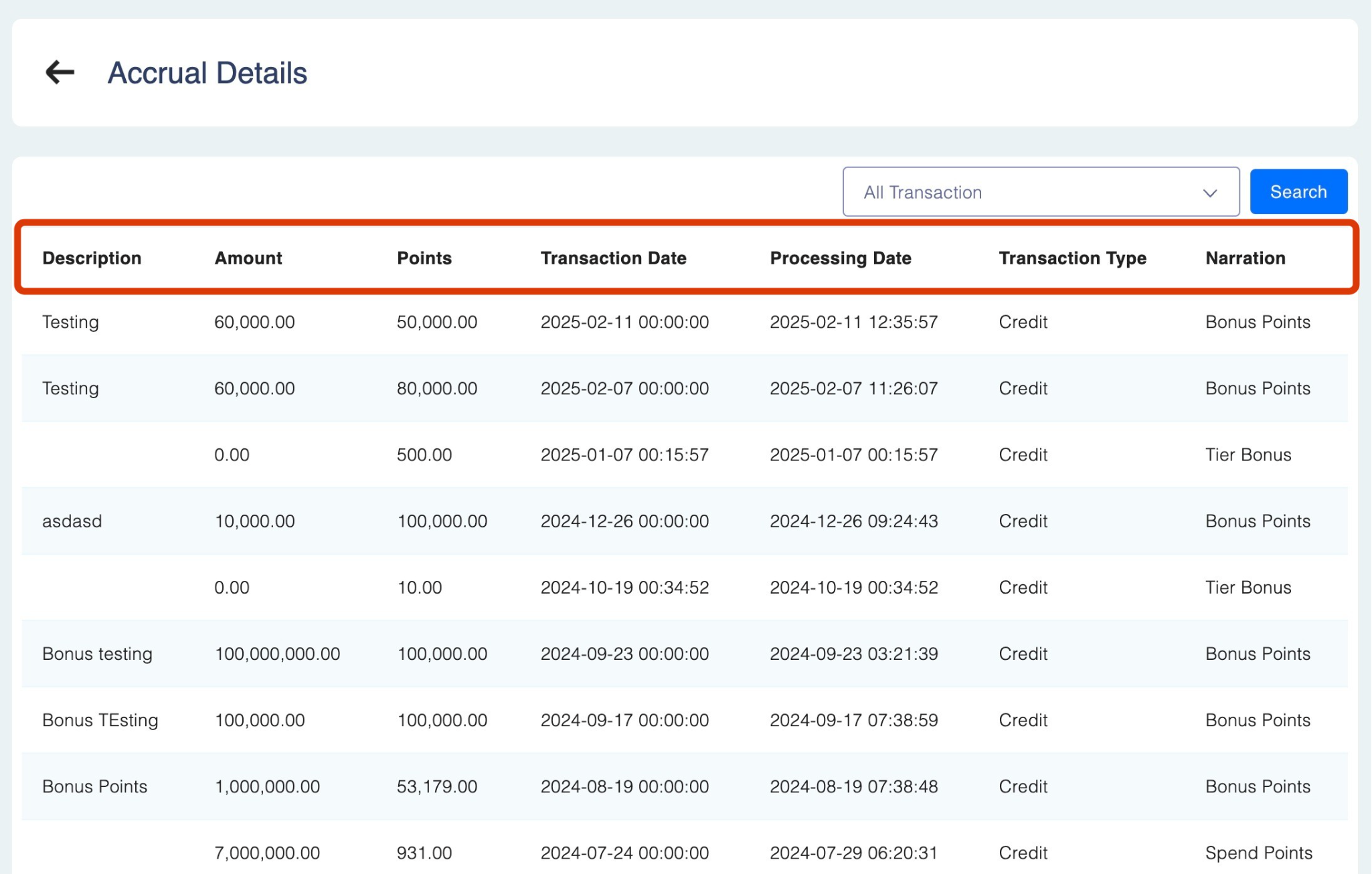
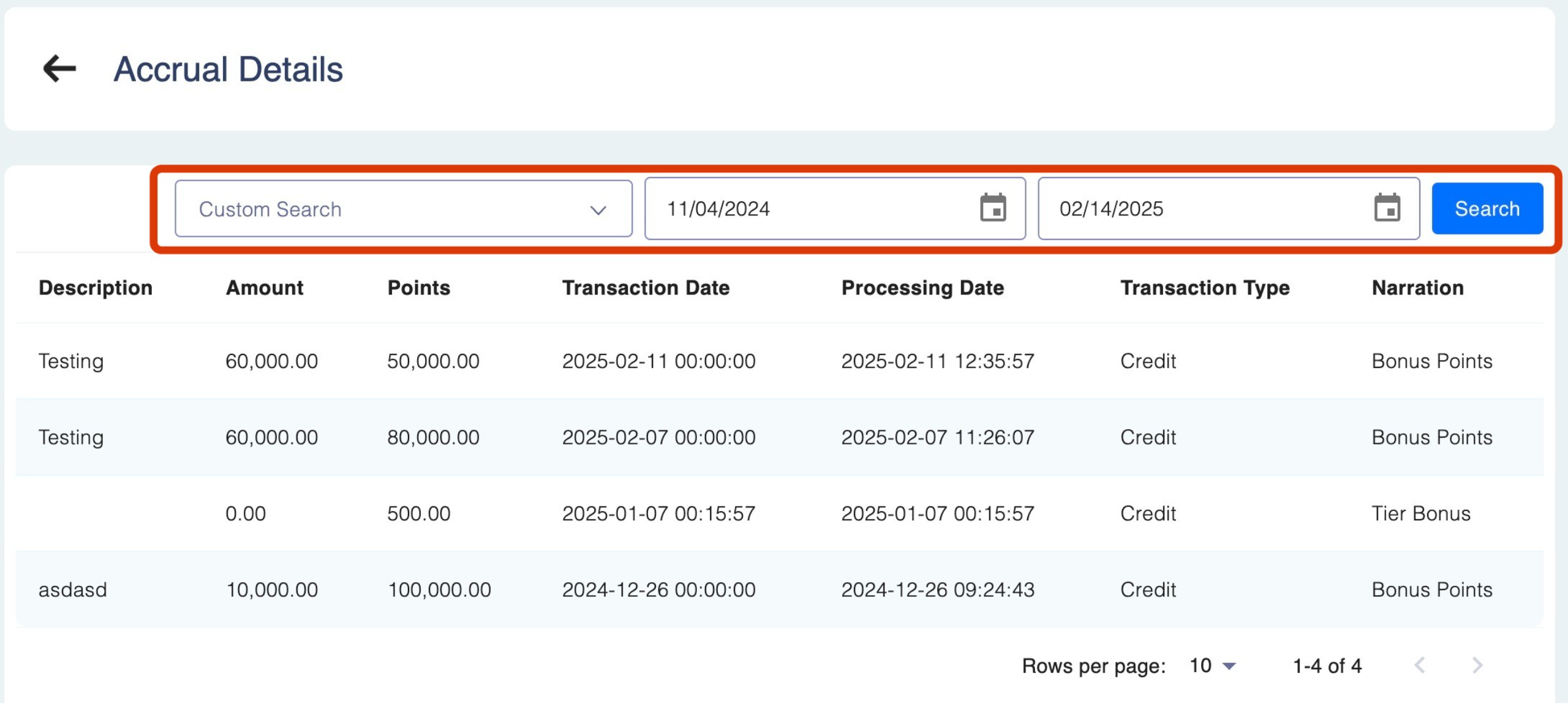
You can further filter transactions using the drop-down menu:
- All Transactions: Lists all accrued points for the member.
- Custom Search: Select a time frame using the calendar icons and click Search.
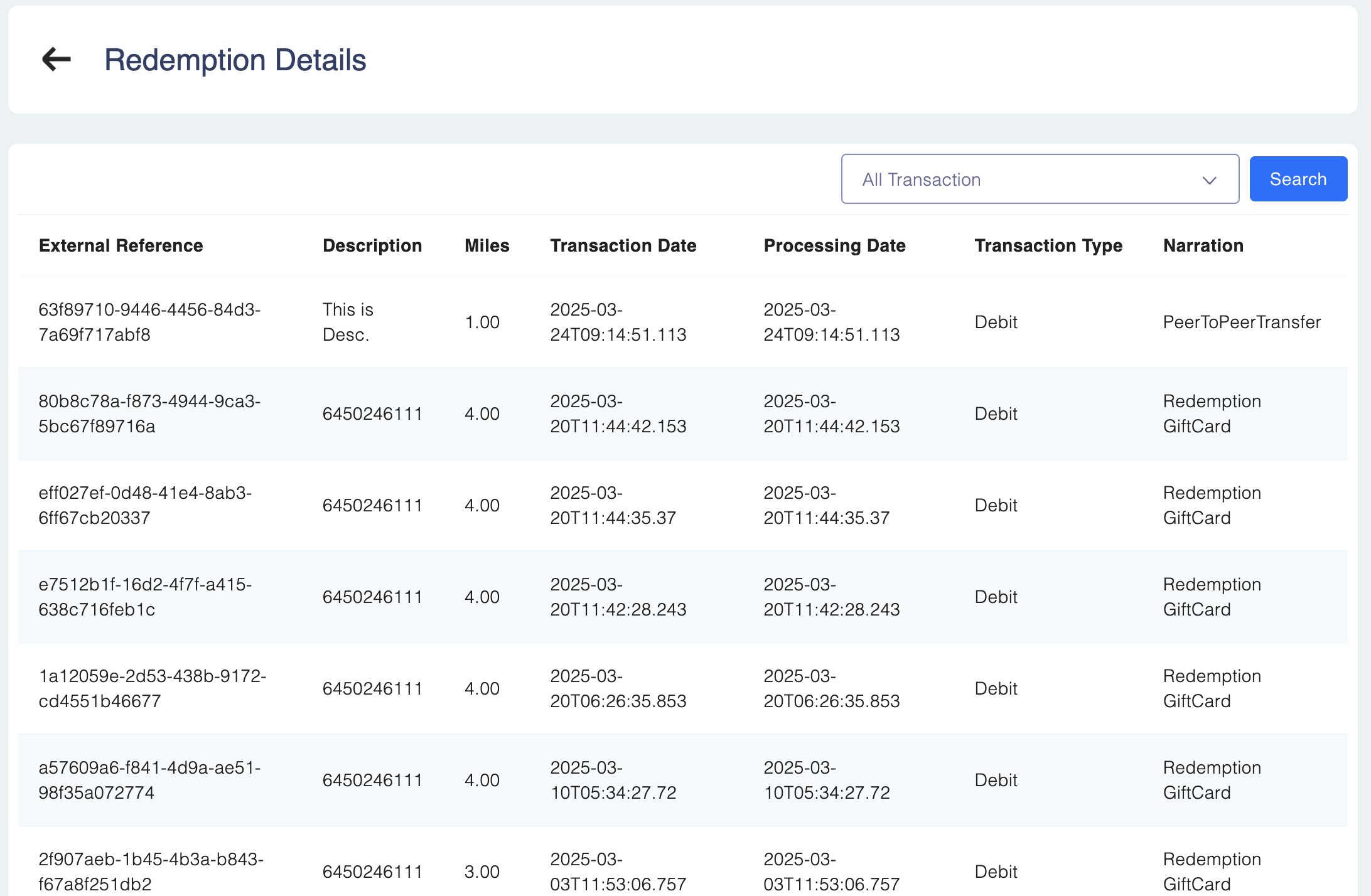
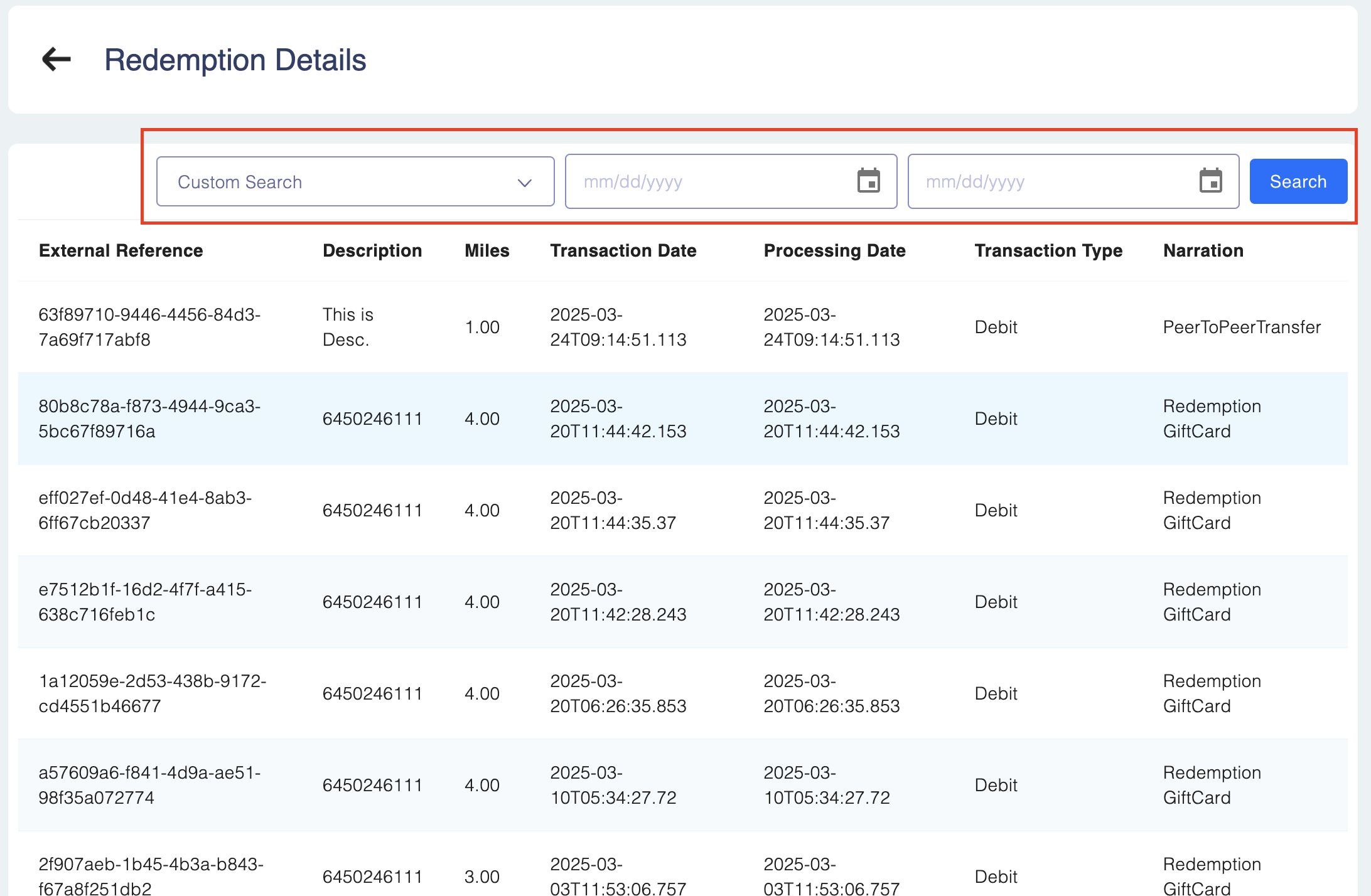
2. Points Redeemed: The total number of points that the member has used.
Clicking on the box will take you to a detailed summary of points redeemed, where you can view:
- External Reference
- Description
- Points
- Transaction Date
- Processing Date
- Transaction Type
- Narration
You can further filter transactions using the drop-down menu:
- All Transactions: Lists all accrued points for the member.
- Custom Search: Select a time frame using the calendar icons and click Search.
3. Points Expired:
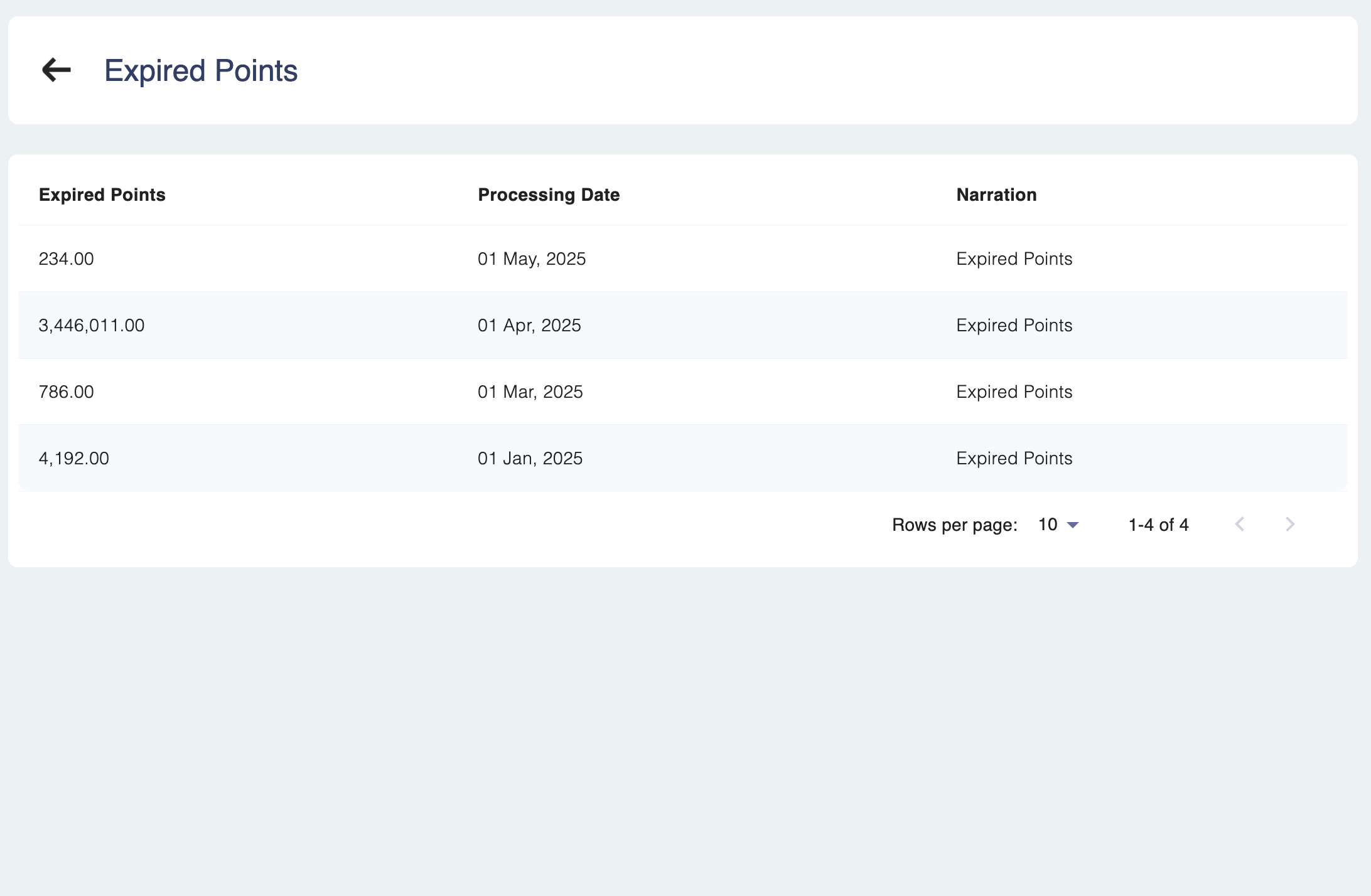
The total number of points that have expired according to the program's configuration. Clicking on the box will take you to a detailed summary of points redeemed, where you can view:
- Description
- Points
- Transaction Date
- Processing Date
- Transaction Type
- Narration
You can further filter transactions using the drop-down menu:
- All Transactions: Lists all accrued points for the member.
- Custom Search: Select a time frame using the calendar icons and click Search.
4. Pending Points:
Points that are awaiting approval from the maker/checker. 📘How available points are calculated?
Points Available (Current Balance) = Points Accrued - Points Redeemed - Points Expired
How available points are calculated?Points Available (Current Balance) = Points Accrued - Points Redeemed - Points Expired
You can easily review a member's current point balance, accumulated points, redeemed points and expired points in Members → Member Profile