
Local Attributes
What are Local Attributes?
Local attributes are a set of attributes that can be used to store and retrieve information that is relevant to the business logic required to run the loyalty program.
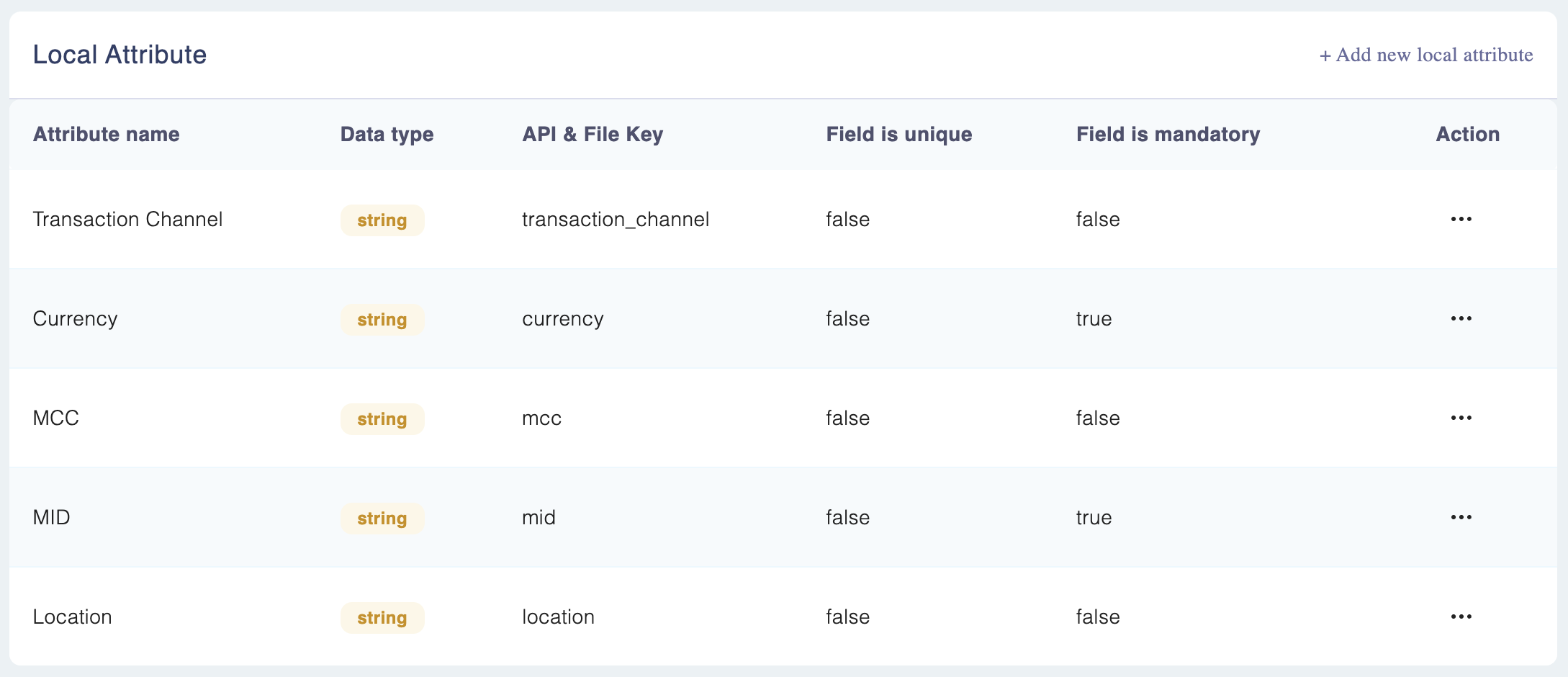
For example, for the airline use case we refer to earlier in this documentation, the local attributes would be as follows:
Attribute Name | API/file_key | Date type | Is Mandatory | Default Values (If any) |
|---|---|---|---|---|
Flight destination | flight_destination | String | True | |
Passenger age | passenger_age | Int | False | |
Flight time | flight_time | Float | True | |
Ticket class | ticket_class | Selection | True |
|
Accessing Local Attributes
Step 1: Navigate to Rule Engine > Manage Attributes (using the settings icon at the top).
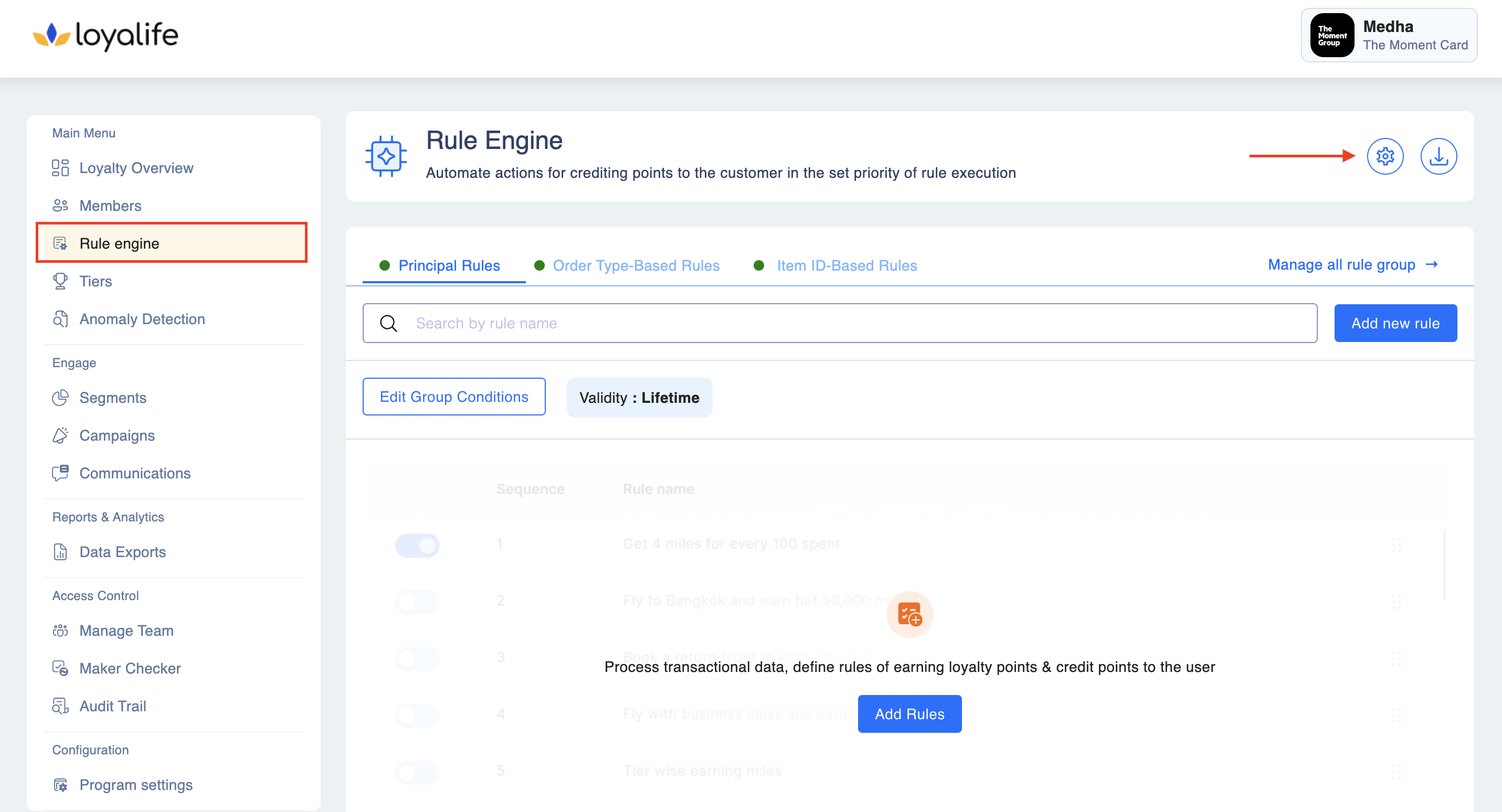
Step 2: Scroll down to the Local Attributes.
Adding a Local Attribute
Step 1: To add local attributes, go to Rule Engine ➝ Manage Attributes ➝ local attributes➝ Add new local attributes.
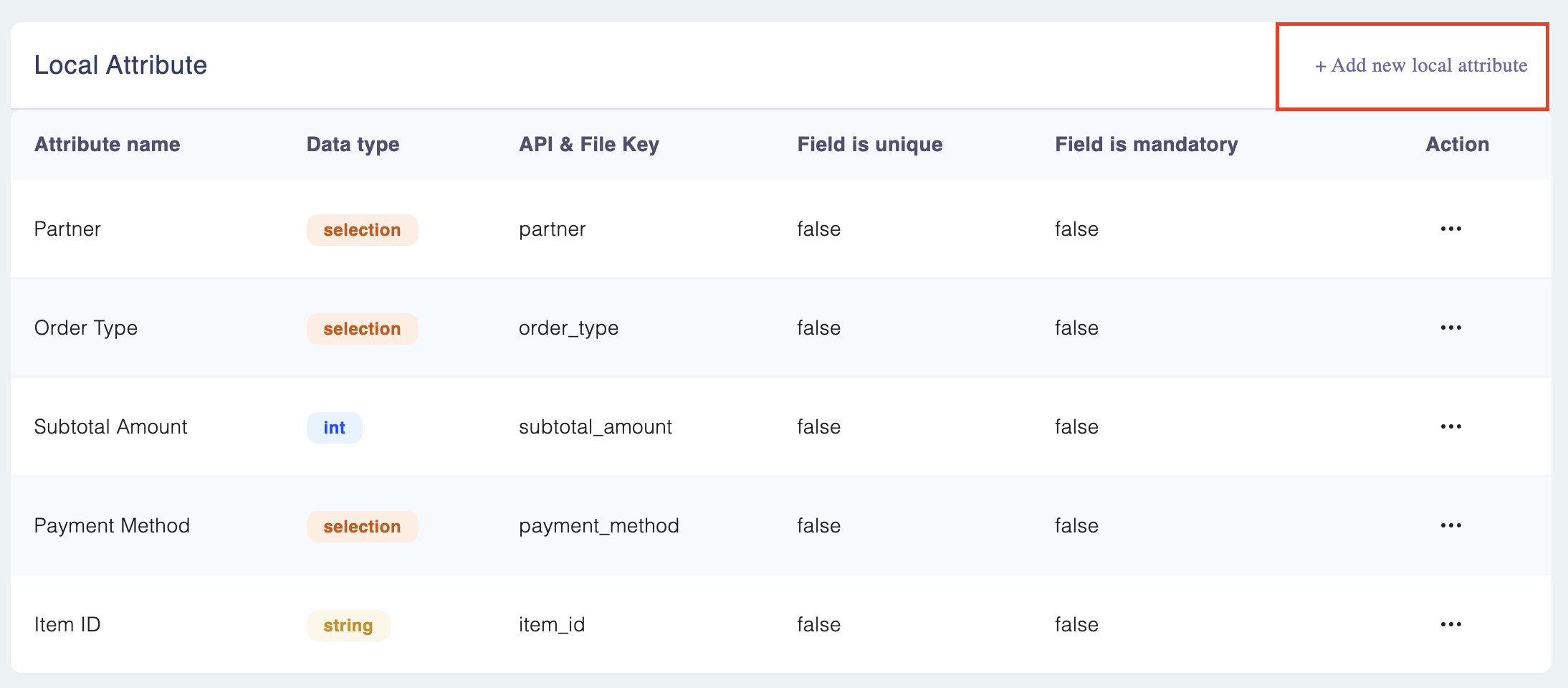
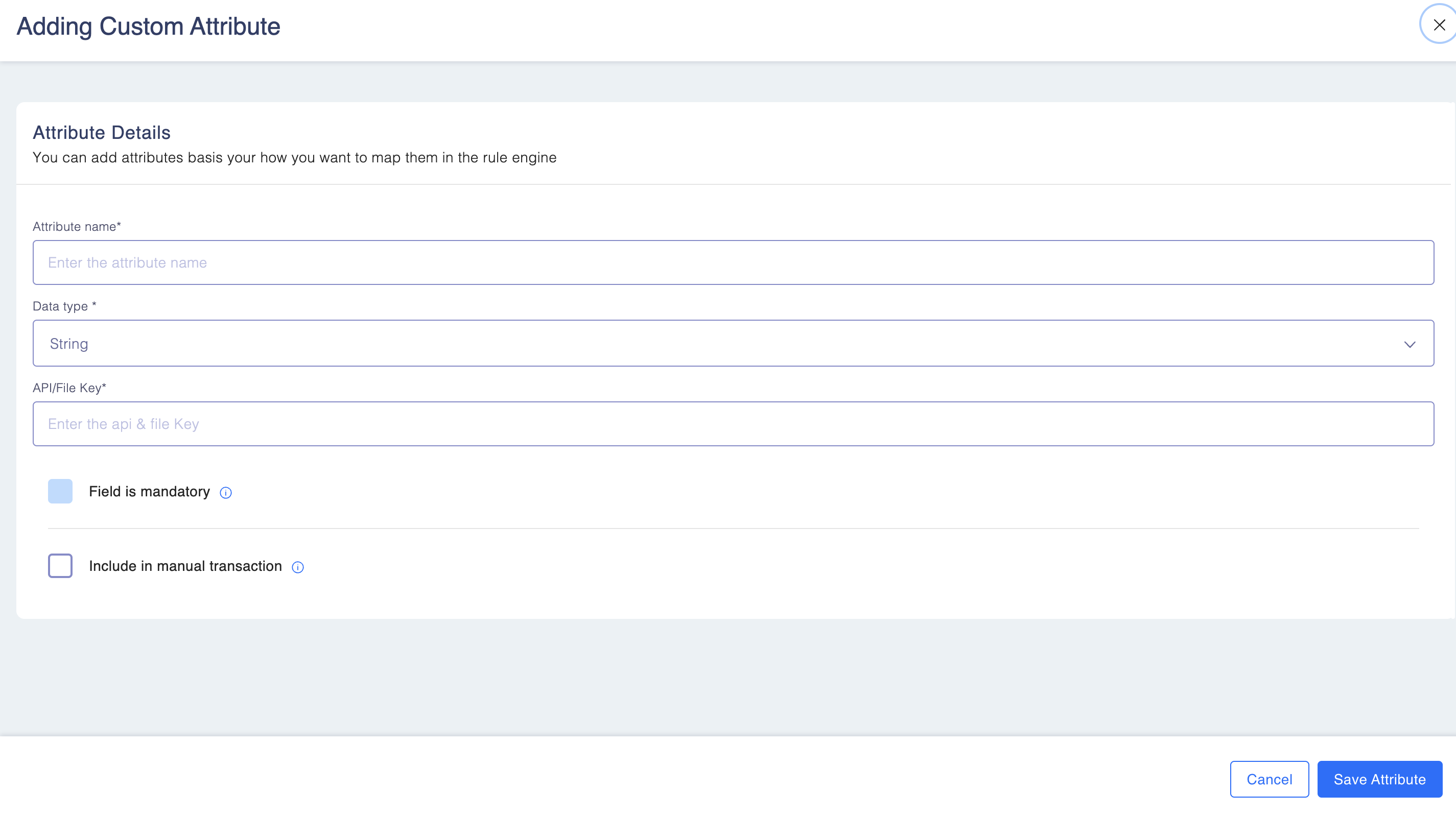
Step 2: Add the information such as
- Attribute name: This is the label or name given to the local attribute, describing the data it represents.
- API/file_key name: This is the unique key identifier used in APIs or files to reference the attribute.
- Data Type: This defines the kind of data the attribute stores, such as String, Number, Float, Date, or Selection.
Learn more about Data Type below
• **String:**This is used to store text or words.
• Int: This is used to store whole numbers, like 1, 2, 3.
• **Float:**This is used to store decimal numbers, like 1.5, and 2.7.
• **Selection:**This is used to store choices or options, like "yes" or "no".
• **Date:**This is used to store dates, like January 1, 2022.
Editing a Local Attribute?
To edit/delete a local attribute, go to Rule Engine ➝ Manage Attributes ➝ local attributes➝ select the attribute you would like to edit ➝ Edit/delete.
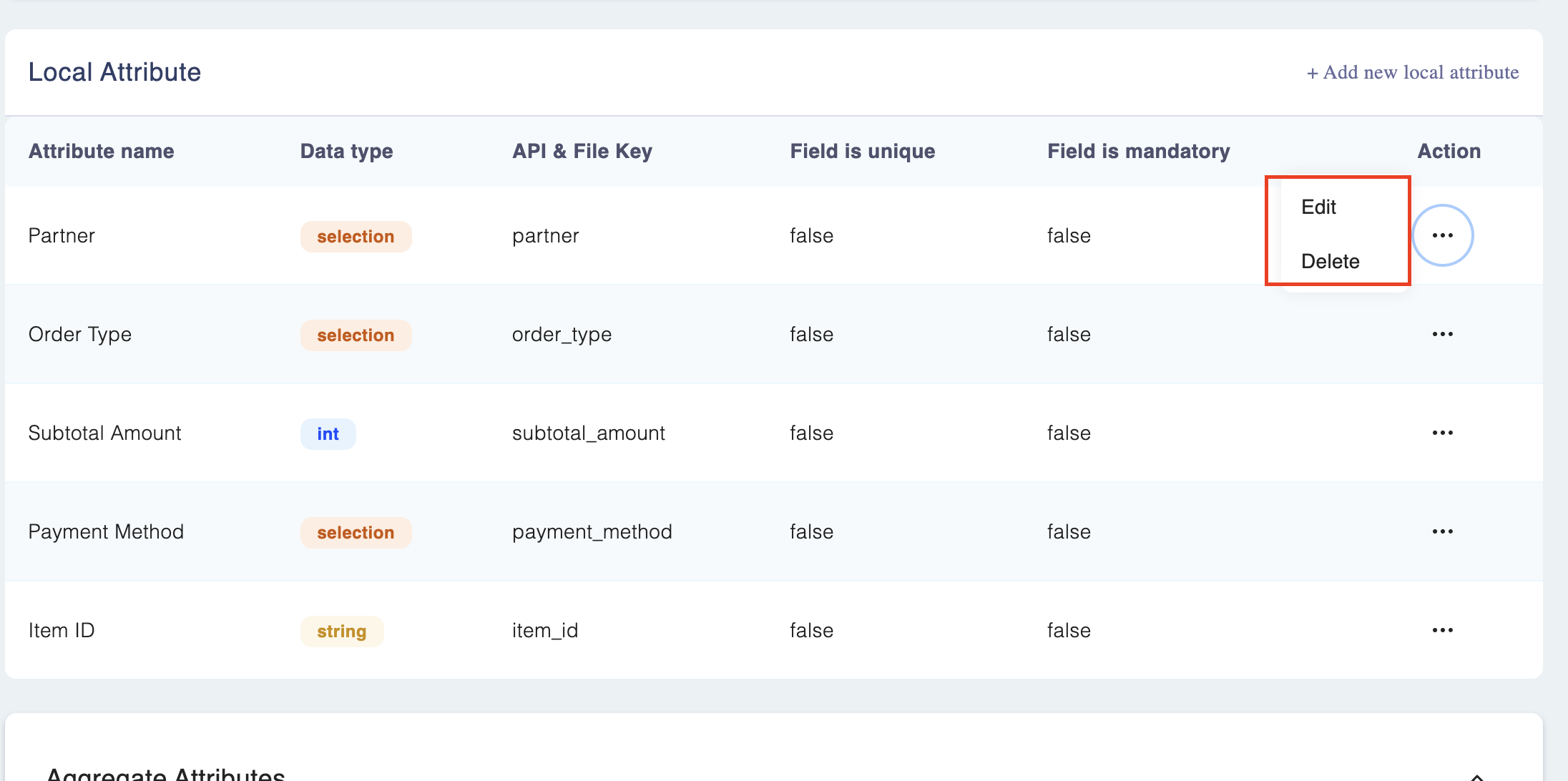
A local attribute which is getting used in a rule, cannot be deleted.
Selection data type attribute?
The selection data type attribute is a string attribute internally. The values can be added at the time of creating or editing the selection attribute.
Multiple values can be added by using comma-separated values.
Keep in mindA local attribute which is getting used in a rule, cannot be deleted.